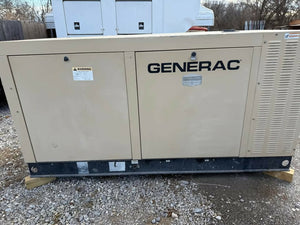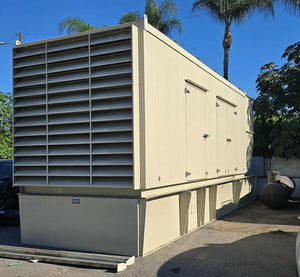


Top 6 Remote Generator Monitoring Systems
If you want remote generator monitoring, the first thing I’d check is not the generator brand - it’s the controller, gateway, and internet connection. That one step can save you from buying a unit that says “remote ready” but still needs extra hardware, setup work, or a paid plan.
Here’s the short version: this article compares 6 systems - Generac Mobile Link, Kohler OnCue Plus, Cummins PowerCommand Cloud, ComAp WebSupervisor, DSEWebNet, and UNUM Genset - based on the things that matter most in the U.S.:
- controller support
- Wi-Fi, Ethernet, or cellular connection
- how much remote control you get
- fleet tools for multi-site use
- retrofit fit for used generators
- monthly, yearly, or hardware costs
I’d break the list down like this:
- Best for homeowners: Generac Mobile Link
- Best for Kohler standby units: Kohler OnCue Plus
- Best for Cummins commercial sites: Cummins PowerCommand Cloud
- Best for ComAp-based or mixed fleets: ComAp WebSupervisor
- Best for DSE-equipped fleets: DSEWebNet
- Best for mixed-brand fleets with fuel tracking: UNUM Genset
A few points stand out right away:
- OEM platforms are usually easier if you stay with one brand
- Mixed fleets often need a cross-brand platform
- Many used units still need a gateway, modem, SIM card, or Ethernet module
- Remote control features like start/stop, reset, or load transfer depend on the controller and user permissions
- Subscription costs can range from free to $14.99/month per unit, not counting hardware and install labor
Remote Monitoring of Industrial Generators
sbb-itb-501186b
Quick Comparison
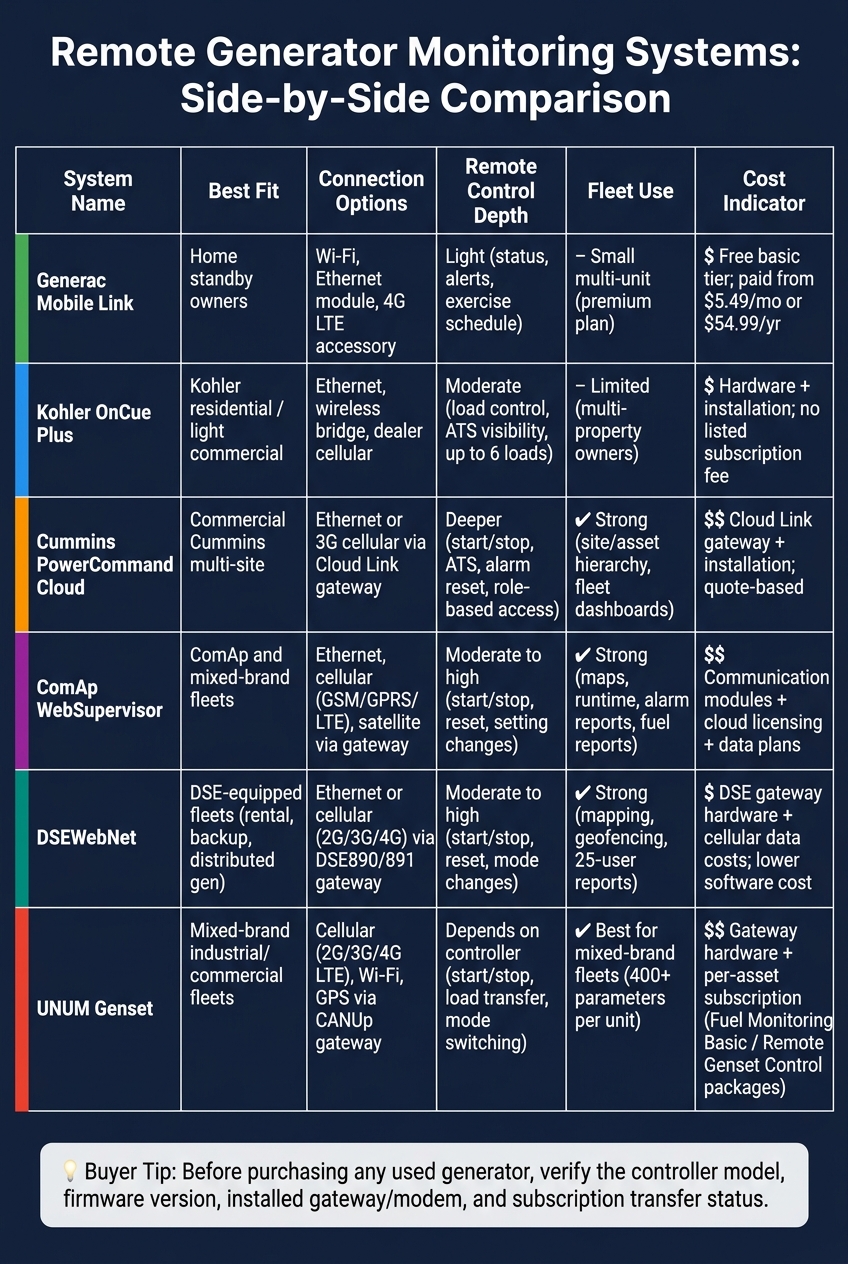
Remote Generator Monitoring Systems Compared: Features, Fit & Cost
| System | Best Fit | Connection Options | Remote Control Depth | Fleet Use |
|---|---|---|---|---|
| Generac Mobile Link | Home standby | Wi-Fi, Ethernet module, 4G LTE accessory | Light | Small multi-unit setup |
| Kohler OnCue Plus | Kohler residential/light commercial | Ethernet, wireless bridge, dealer cellular options | Moderate | Limited |
| Cummins PowerCommand Cloud | Commercial Cummins sites | Ethernet, cellular via Cloud Link | Deeper control with setup | Strong |
| ComAp WebSupervisor | ComAp and mixed fleets | Ethernet, cellular | Moderate to high | Strong |
| DSEWebNet | DSE-based fleets | Ethernet, 2G/3G/4G | Moderate to high | Strong |
| UNUM Genset | Mixed-brand fleets | Cellular, Wi-Fi, GPS gateway | Depends on controller | Strong |
Bottom line: if I were buying a used generator today, I’d ask for the controller model, firmware version, installed gateway/modem, SIM or Ethernet hardware, and account transfer status before I looked at the app name. That’s the fastest way to tell whether remote monitoring will work - and what it will cost.
1. Generac Mobile Link
For residential standby generators, Generac Mobile Link is the simplest starting point. It uses a mobile app and web portal, so homeowners can check generator status and alerts without much hassle.
Controller Compatibility
Mobile Link works with generators that use Nexus, Evolution 1.0, Evolution 2.0, and PowerZone 410 controllers. It also works with many LCD-display air-cooled and liquid-cooled Generac units, along with some OEM-branded models.
There’s one catch with older equipment. Pre-Nexus units may only work with cellular add-ons, not full Wi-Fi or Ethernet monitoring. On used generators, the controller label matters more than the name on the outside. Before you buy any hardware, check the controller part number and the compatibility guide.
Connectivity and Deployment
Mobile Link supports a few connection options:
- Onboard Wi-Fi
- Wi-Fi/Ethernet modules
- 4G LTE cellular accessories
Many current Guardian home standby units already come with built-in Wi-Fi Mobile Link. If home Wi-Fi is spotty, a 4G LTE cellular accessory can keep monitoring active during outages.
Generac's Connectivity Cellular Accessory, released in 2025, uses dual SIM cards across carriers. It’s meant as an aftermarket upgrade for controllers that worked with earlier connectivity options. For Wi-Fi setups, the router needs to support 2.4 GHz Wi-Fi and standard outbound internet access.
Monitoring and Remote Control Depth
The free Basic plan includes status viewing and history for up to two generators. Paid Premium plans start at about $5.49/month or $54.99/year through the web for one generator. Paid tiers add active notifications, and higher tiers add fuel monitoring plus support for more devices.
Through the app or portal, users can:
- View fault codes
- Track run hours
- Set exercise schedules
- Get alerts for key events
That said, Mobile Link is mostly a monitoring tool with a small amount of remote settings access. Safety interlocks and critical protection settings stay locked at the controller level, so this is not a full remote SCADA console.
Fleet Analytics and Retrofit Fit
For fleet use, Mobile Link and Generac 360 add centralized dashboards and service tracking. Retrofit support includes air-cooled units from 2008 onward and liquid-cooled units from 2010 onward, as long as the controller is compatible.
If you're buying a used generator, check three things first: the controller model, the installed communication hardware, and whether the device is still linked to the previous owner’s account. A live account on the old owner’s side can block reactivation, and that can turn a simple setup into a headache.
The next systems go further into commercial and mixed-fleet monitoring.
2. Kohler OnCue Plus
Kohler OnCue Plus is Kohler’s OEM monitoring platform for residential and light commercial standby generators. Like Mobile Link, it’s built first for Kohler equipment. But Kohler goes a bit further with load control and remote command features.
Controller Compatibility
OnCue Plus works with generators that use RDC/DC, RDC2/DC2, and VSC controllers. RDC2, DC2, and VSC controllers come with built-in Ethernet. Older RDC/DC units need the GM62465‑KP1 Ethernet board.
If you’re looking at a used unit, check three things before you assume it will work:
- The controller family
- Whether the Ethernet board is installed
- The firmware version
Those details matter.
If you’re moving from legacy OnCue to OnCue Plus, the controller has to be updated to the latest firmware. After that switch, the legacy OnCue client will no longer work for remote monitoring.
Connectivity and Deployment
The standard setup uses a Category 5e or better Ethernet cable from the controller to the site’s broadband router. Simple enough when the router is nearby. If it isn’t, things can get messy fast.
For sites where running cable is a hassle, Kohler offers the OnCue Plus Wireless Radio Kit (GM114539). It uses paired radio modules to create a wireless Ethernet bridge. Dealer pricing is usually around $145–$175.
Cellular kits are also available through Kohler dealers. They add hardware cost, and performance depends on local mobile network coverage.
You can access OnCue Plus through the web, iOS, Android, Windows, or Mac.
Monitoring and Remote Control Depth
OnCue Plus gives you a solid view of generator health and activity. It shows status, voltage, frequency, load, oil level, engine temperature, battery voltage, runtime, exercise history, and fault alerts.
With an LCM or PIM, it can also control up to six loads remotely. That makes it more than a simple watch-only dashboard.
Alerts can be sent by text, email, and in-app notification. These cover faults, power events, and maintenance reminders based on both runtime and time intervals.
Fleet Analytics and Retrofit Fit
A single OnCue Plus account can monitor multiple Kohler generators, which makes it a good fit for owners with more than one property or small service providers managing Kohler fleets. Each generator is activated on its own using the serial number, controller password, and activation code.
OnCue Plus fits best when the equipment is all Kohler. For supported Kohler units, the retrofit path is pretty direct: add the OnCue Plus kit, install any needed Ethernet or wireless hardware, update firmware if needed, and activate the unit in the cloud.
The next platforms fit mixed-brand and commercial fleets better.
3. Cummins PowerCommand Cloud
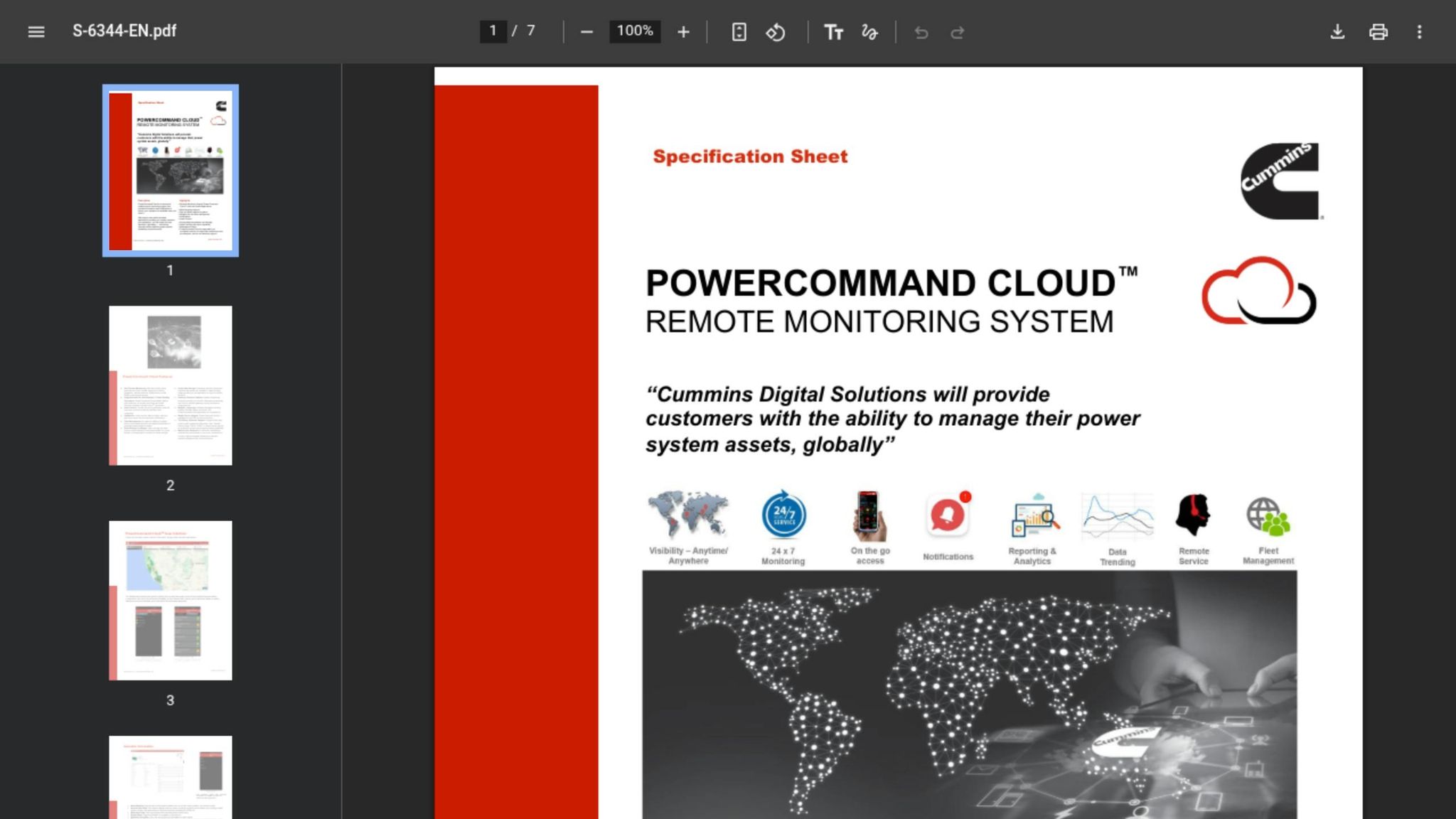
Cummins PowerCommand Cloud has a broader job than the two OEM platforms above. It’s built for commercial and industrial fleets that need deeper diagnostics and constant visibility. Unlike residential apps, this system is much more about fleet oversight, fault tracking, and service coordination.
Controller Compatibility
PowerCommand Cloud works with Cummins PowerCommand controllers in the 1.1, 1.2, 2.2, 2.3, and 3.3 families, along with compatible transfer switches such as the PCC series. That said, compatibility comes down to the exact controller family, firmware, and communications hardware in the unit.
If you’re looking at a used generator, check three things before you buy:
- the controller family
- the firmware version
- whether the PowerCommand 500/550 Cloud Link gateway is already installed
Cloud Link is the communications bridge, and on retrofit jobs, you may need to add it.
Connectivity and Deployment
The Cloud Link can connect over Ethernet (IEEE 10BASE-T / 100BASE-TX) or 3G cellular via SIM card and external antenna. Cellular is handy for remote sites, but it also means antenna hardware and a data plan.
Data moves from the generator controller to the Cloud Link over RS-485 Modbus.
Monitoring and Remote Control Depth
The platform offers 24/7 remote monitoring with real-time alerts through email and push notifications. You can see fault codes, logs, runtime hours, fuel level, load, voltages, and utility status. It also stores historical data automatically, so teams can trend it, graph it, and export it for reports or post-incident review.
Remote control depth can include start/stop, alarm reset, and exercise scheduling, but that depends on how the system is commissioned and which access roles are in place. Cummins recommends setting user roles with care: keep control privileges with trained technicians, while giving facility managers or owners view-only access. That setup makes it a much better fit for commercial operators than a basic status-only platform.
Fleet Analytics and Retrofit Fit
The platform runs on Microsoft Azure and uses Azure Stream Analytics to process performance data in real time and show it in a dashboard. Fleet dashboards can rank sites by alarms, runtime, or utilization. In plain terms, that helps teams decide where to send service first and spot repeat trouble across multiple locations.
Retrofit value comes down to total installed cost, not just the software. Adding Cloud Link hardware, Modbus wiring, and, in some cases, a controller upgrade on an older unit can push the project cost much higher. It’s smart to get a distributor quote before moving ahead, since pricing is usually handled through sales.
The next system moves away from OEM fleet monitoring and into broader multi-brand supervision.
4. ComAp WebSupervisor
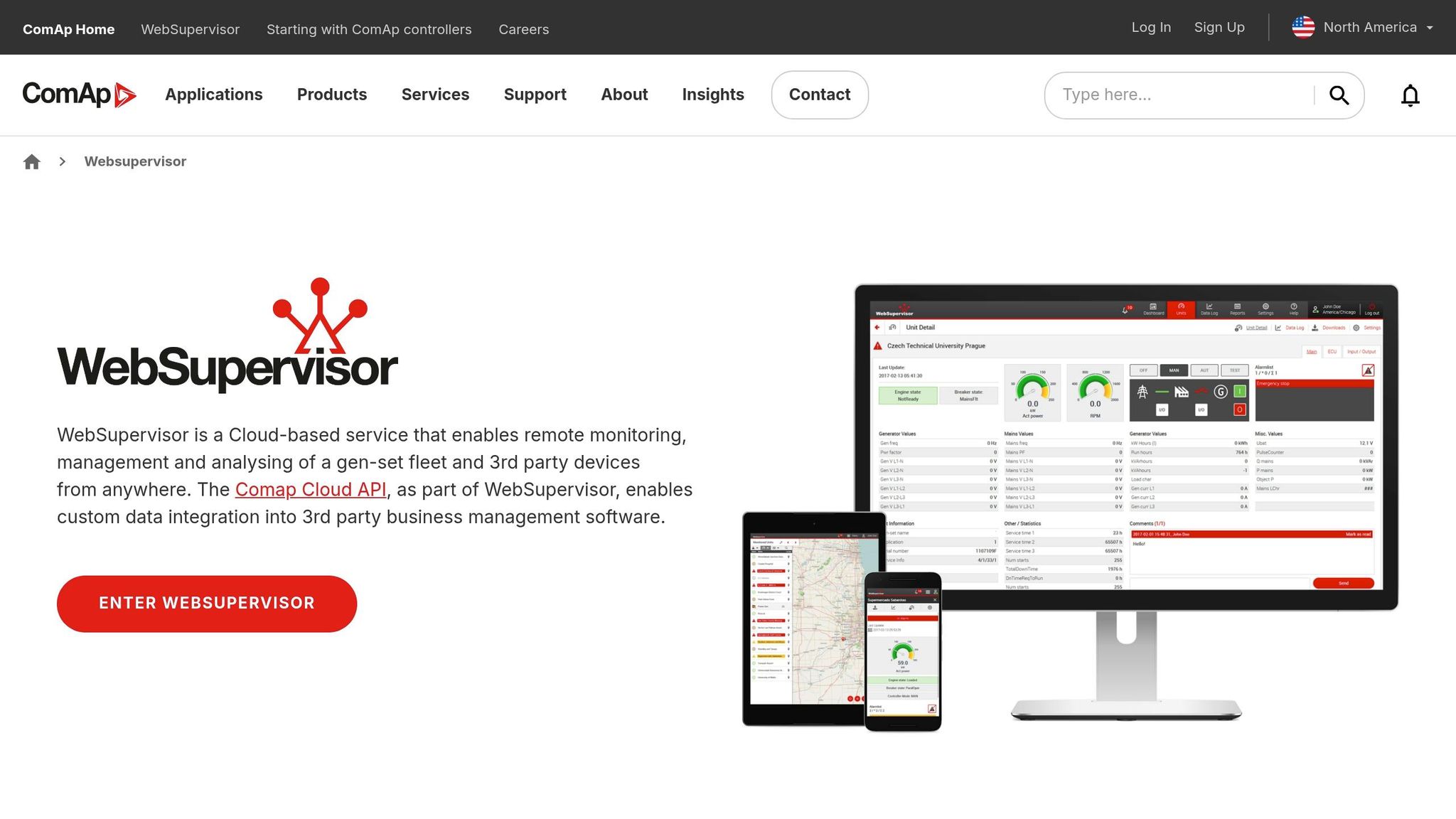
ComAp WebSupervisor is a cloud platform for ComAp and mixed-brand fleets. It becomes more useful when a fleet includes more than one controller family or generator brand. That gives it an edge over OEM-only apps for mixed fleets.
Controller Compatibility
WebSupervisor works best with ComAp controllers like InteliLite, InteliGen, InteliSys, InteliDrive, InteliCompact, InteliATS, and InteliNeo BESS. Older InteliLite and InteliGen NT models can connect too, as long as they have the right communication module.
For non-ComAp equipment, the platform can pull in data from third-party devices through supported protocols and a compatible gateway. That said, remote control on third-party units is often more limited than it is on native ComAp controllers. On retrofit jobs, that can be the sticking point. If the controller won’t give you enough access, the rest of the setup matters a lot less.
Connectivity and Deployment
WebSupervisor runs in a browser and also has iOS and Android apps. Generators connect through ComAp gateways over cellular links such as GSM/GPRS/UMTS/LTE or through Ethernet/IP.
ComAp's AirGate technology supports secure outbound communication, which means sites usually don’t need inbound firewall changes. That can save time during setup and cut down on back-and-forth with IT teams.
Monitoring and Remote Control Depth
The platform shows real-time status, power output, fuel level, voltage, frequency, load, and alarms. Remote control can include start/stop, alarm reset, and selected setting changes, depending on controller permissions.
Alerts can go out by email and through push notifications in the mobile app. So if a unit throws an alarm in the middle of the night, the right people can see it without sitting in front of a desktop dashboard.
Fleet Analytics and Retrofit Fit
WebSupervisor includes trend graphs, heat maps, scheduled reports, and an Alarm Analyser. Those tools help operators track runtime, fuel use, and repeat faults across a fleet.
For retrofit projects, buyers looking at used-generator listings should check a few things before moving ahead:
- Controller compatibility
- Gateway requirements
- Mounting or wiring space
On used units, the controller family and gateway support will often decide whether the upgrade makes sense at all. Buyers should also compare Lite and Pro plan limits, especially asset counts, concurrent connections, and access to advanced analytics. Those details can shape how well the platform works as the fleet grows.
That makes WebSupervisor a strong option for fleets with mixed brands, not just ComAp units.
5. Deep Sea Electronics DSEWebNet
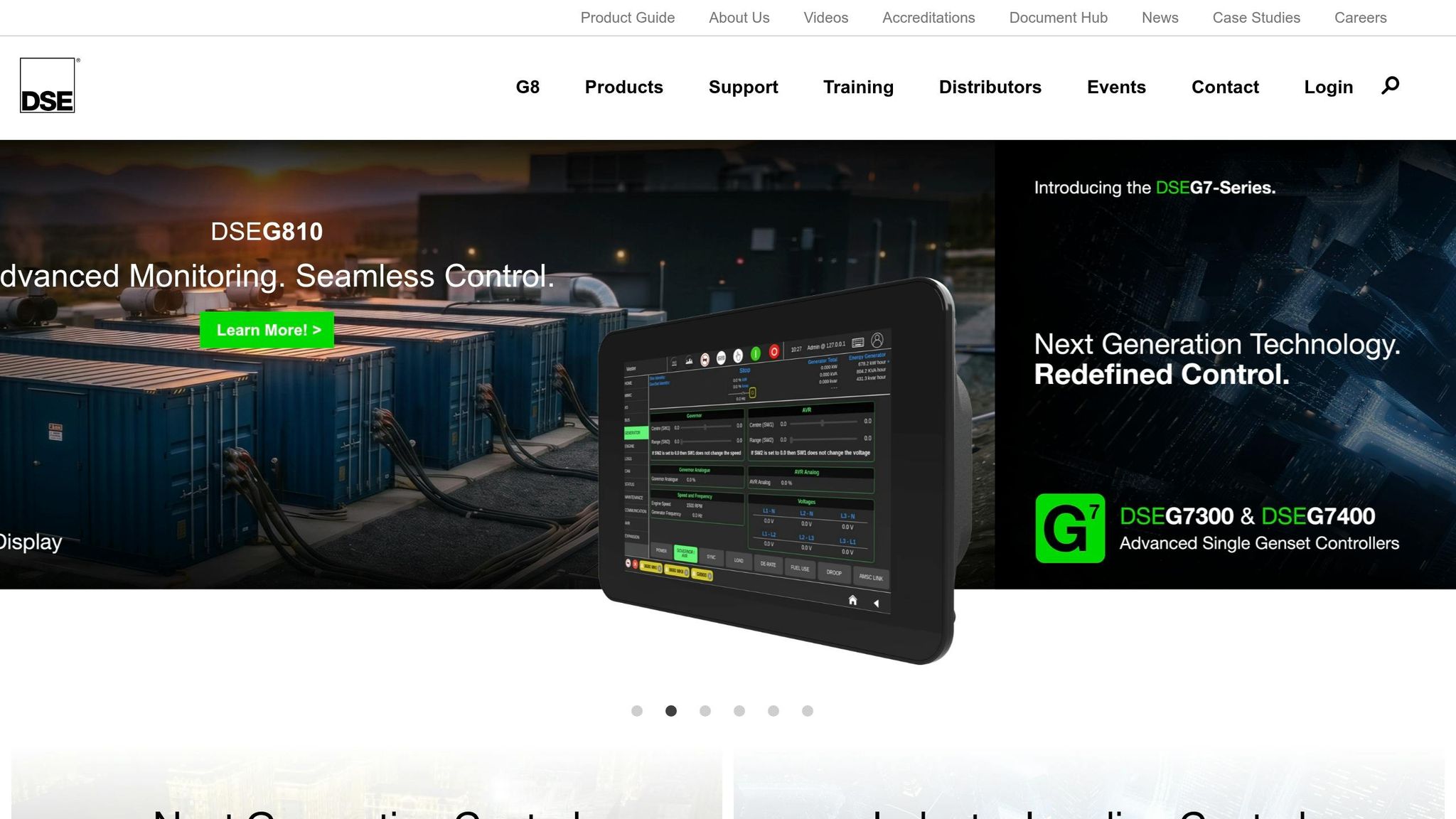
Where WebSupervisor works well for mixed-brand fleets, DSEWebNet makes the most sense when a site already uses DSE controls.
DSEWebNet is Deep Sea Electronics' cloud-based monitoring and control platform for DSE-equipped generator sets. It fits backup power fleets, rental operations, and distributed generation sites that need 24/7 visibility.
Controller Compatibility
DSEWebNet uses DSE890 MKII or DSE891 MKII gateways and supports common DSE4xxx, DSE6xxx, DSE7xxx, and DSE8xxx controllers.
If you're dealing with used units, check that a matching DSE controller and gateway are actually installed. You’ll also want to confirm that the sensors, actuators, and wiring line up with the DSE hardware. When buying used equipment through a marketplace like Electrical Trader, read the listing closely. Controllers sometimes get swapped out or removed before resale.
Connectivity and Deployment
The DSE890 MKII supports Ethernet, cellular (2G/3G/4G), and MQTT v3.1.1. That gives teams a few ways to send data into DSEWebNet or connect with third-party platforms. The DSE891 MKII is Ethernet-only, so it’s a better match for fixed installations with steady LAN access.
For remote U.S. sites without wired infrastructure - like standby units, construction projects, and temporary power setups - cellular is often the fallback. But there’s a catch: rural and industrial sites can have weak coverage. A setup may look fine on paper and then drop offline in the field, so it’s smart to verify signal strength before relying on a cellular-only deployment.
Monitoring and Remote Control Depth
DSEWebNet shows real-time voltage, current, frequency, power, fuel level, engine parameters, and breaker status. It also includes event logs, run hours, and trip records. Alerts can go out by email and SMS to multiple users.
Remote control features include start/stop commands, alarm resets, and mode changes, though the exact level of control depends on controller setup and account permissions. Critical protection and governor settings remain locked. For U.S. facilities teams, one practical use case is running remote weekly exercise tests and checking load transfer events without sending a technician onsite.
Fleet Analytics and Retrofit Fit
DSEWebNet includes mapping, geo-fencing, maintenance scheduling, and configurable reporting for multi-site fleets. Geo-fencing is especially handy for rental fleets because operators get automatic alerts if a generator moves outside a defined zone. Maintenance logs can track service by run hours or calendar dates. Reports covering runtime, fuel use, and alarm frequency can be emailed to up to 25 users.
For retrofit projects, these fleet features tend to matter most when all units already run DSE controllers. If the fleet mixes control brands, teams may still need a second monitoring tool for non-DSE equipment.
The next option moves away from DSE-only fleets and into a broader multi-brand monitoring approach.
6. UNUM Genset
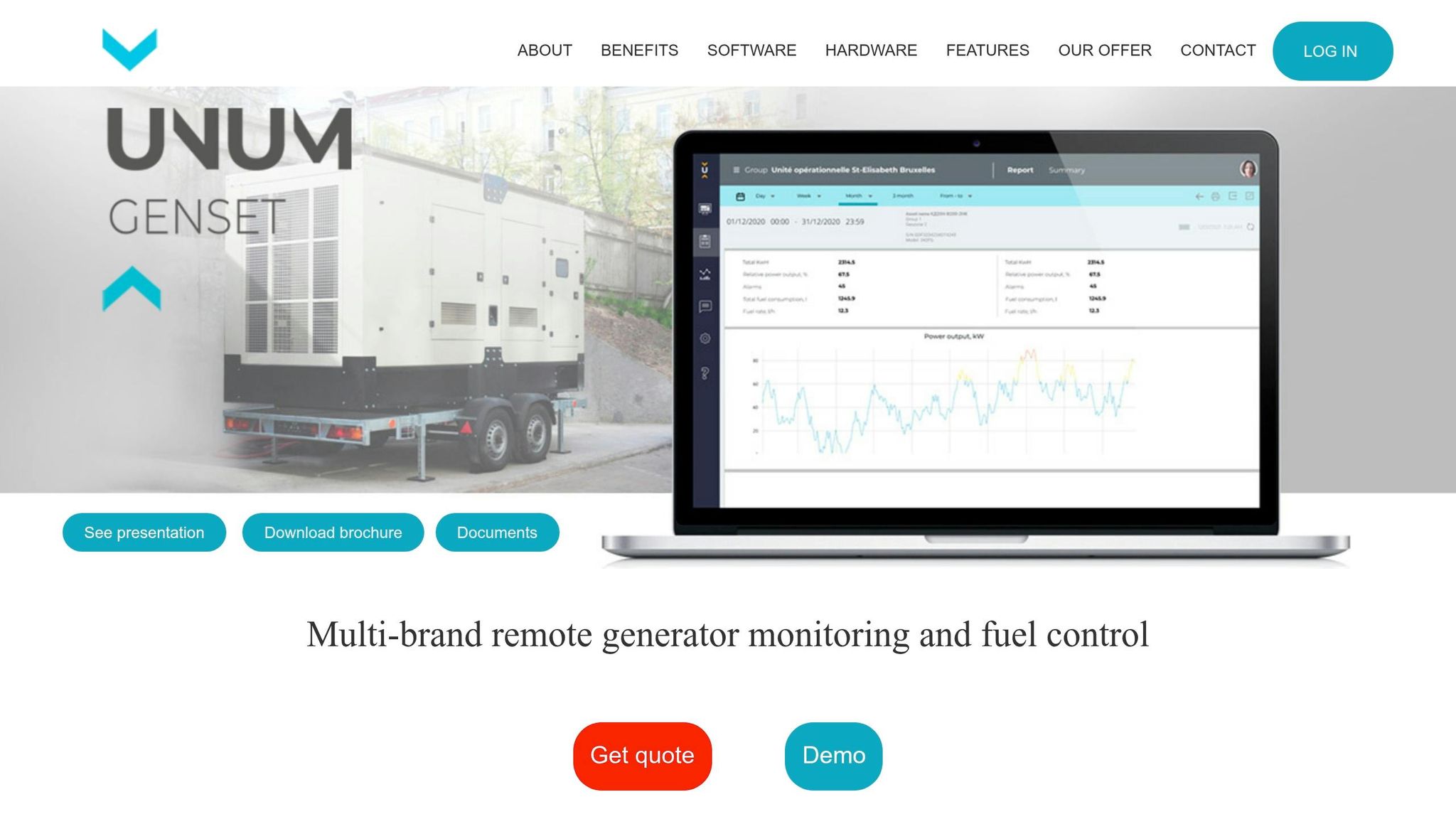
If your fleet includes generators from different brands, UNUM takes a different path than most OEM systems. Instead of tying you to one manufacturer, it focuses on hardware compatibility. UNUM Genset is a cloud platform with telematics hardware for remote monitoring, control, and fuel management across diesel and hybrid generator sets and power plants of any size, including prime, standby, and auxiliary use cases.
Controller Compatibility
UNUM works with many controller brands and doesn't require you to swap out the controller first. It connects to generators from DSE, ComAp, DATAKOM, Kohler-SDMO, Cummins, Caterpillar, and Woodward through standard interfaces like Modbus RTU over RS-485 and J1939 CAN bus.
That matters for one simple reason: you can watch a mixed fleet from one dashboard without changing the hardware already in place.
There is one catch. The amount of data you get depends on the generator's age and controller setup. On older used units, UNUM can still pull electrical data through the controller's Modbus port and pair that with separate fuel flow meters. Newer units with CAN support can send deeper engine data and fault codes.
If you're buying used generators from a marketplace like Electrical Trader, check for an RS-485 or CAN port before you buy. That small detail often decides whether the unit drops into the platform cleanly or needs extra hardware.
Connectivity and Deployment
UNUM uses CANUp gateways installed inside the control panel, along with fuel flow and fuel level sensors. The gateway pushes data to the UNUM cloud over cellular - 2G, 3G, 4G LTE, or Wi-Fi - and includes GPS for location tracking.
Before deployment, you’ll want to confirm a few basics:
- 12/24 VDC control power from the generator
- A data SIM
- Enough enclosure space for the gateway and sensors
Once the system is connected, engine and fuel data show up together in one view, which makes day-to-day checks much easier.
Monitoring and Remote Control Depth
UNUM Genset tracks 400+ parameters per unit. That includes engine speed, coolant temperature, oil pressure, battery voltage, fault codes, per-phase voltage and current, frequency, active and reactive power, power factor, total kWh, and fuel data such as instantaneous consumption in gallons per hour and cumulative fuel used.
It also supports fault diagnosis and status checks for remote troubleshooting. So if a unit throws an alarm, you’re not flying blind.
UNUM also goes past monitoring. It can support remote start/stop, load transfer, and mode switching when the connected controller allows bidirectional communication. For rental fleets and backup generators in hard-to-reach places, that can cut down on truck rolls for test runs or alarm resets.
Fleet Analytics and Retrofit Fit
At the fleet level, UNUM rolls unit data into dashboards and reports that can be filtered by site, unit type, or time period. Common metrics include fuel consumption per kWh, run hours, utilization rates, and alarm frequency across the fleet.
That gives operators a clearer picture of which assets are burning too much fuel, sitting idle too often, or throwing more alarms than they should.
Because the same telematics kit can be installed across generator brands and model years, UNUM makes sense for mixed fleets. If you keep adding used units - from auctions, dealers, or online marketplaces like Electrical Trader - you can bring each one into the same platform.
Access is subscription-based per asset, with preset service packages such as Fuel Monitoring Basic and Remote Genset Control. Those packages make setup easier for installers and cut down configuration time. That flexibility is the main thing to weigh against the tighter fit you get from OEM systems. The next comparison shows where UNUM's cross-brand approach wins, and where OEM convenience still has the edge.
Head-to-Head Comparison: Pros, Cons, and Key Differences
With used generators, the brand name matters less than the controller, gateway, and subscription setup. That’s the part that decides whether remote monitoring will work at all.
Most of these systems fall into two camps:
- OEM platforms built for one brand’s equipment
- Cross-brand platforms built for mixed fleets and retrofit jobs
So when you compare options, focus on three things first: controller compatibility, connection hardware, and fleet size. That’s the fastest way to tell whether a platform fits a single used standby unit or a yard full of generators.
Platform Comparison
| Platform | Best For | Used Equipment Fit | Connectivity Options | Remote Control | Fleet Dashboard | Analytics Depth | Extra Costs |
|---|---|---|---|---|---|---|---|
| Generac Mobile Link | Home standby owners | Supported Generac units after 2010 with Nexus/Evolution controllers | Wi-Fi on newer units; optional cellular accessory | Limited | Basic multi-unit on premium plans | Basic - status, alerts, runtime history | Free basic tier; paid tiers up to $14.99/month; cellular accessory |
| Kohler OnCue Plus | Kohler residential and light commercial | Kohler RDC2/DC2 controller families | Web and mobile access over the site network | Built-in load and ATS visibility | Not a fleet platform | Moderate - fault codes, runtime, load data | Hardware, installation, possible setup costs |
| Cummins PowerCommand Cloud | Multi-site commercial systems | Requires compatible PowerCommand controllers and Cloud Link gateway | Cloud Link gateway over Ethernet/IP | Start/stop and ATS control via portal | Yes - accounts, sites, and asset hierarchy | Advanced - event logs, sensors, asset status | Cloud Link gateway, installation, service setup |
| ComAp WebSupervisor | Rental fleets and industrial users | ComAp controllers and related modules | Ethernet, cellular, or satellite via gateway | Remote test runs and control actions | Yes - fleet maps, runtime, alarm reports | Advanced - fuel reports, alarm frequency, service scheduling | Communication modules, cloud licensing, data plans |
| DSEWebNet | Fleet maintenance and multi-set management | Retrofit-friendly via DSE controllers | Ethernet or cellular via DSE890/891 gateways | Start/stop, reset, and mode changes across multiple units | Yes - mapping, geofencing, event logs | Advanced - historic graphs and fault analysis | DSE gateway hardware and cellular data costs |
| UNUM Genset | Mixed-brand industrial and commercial fleets | Works with existing sets when monitoring hardware can interface with the controller | Cellular or IP via monitoring hardware | Depends on controller support | Best for mixed-brand fleets needing one dashboard | Advanced - engine, power, and fuel data | Gateway hardware, subscription fees, data connectivity |
At a buyer level, the tradeoff is pretty simple. Some platforms are easy if you stay inside one brand. Others give you more freedom, but only if the hardware stack is in place.
Pros and Cons
| Platform | Pros | Cons |
|---|---|---|
| Generac Mobile Link | Free basic tier; simple setup on supported units; clean mobile app | OEM-locked; limited control; status and history only |
| Kohler OnCue Plus | Load and ATS visibility; remote control built in; bundled with some units | Tied to Kohler controller families; not suited for fleet use |
| Cummins PowerCommand Cloud | True multi-site fleet support; broad asset types including generators, ATSs, and sensors | Requires Cloud Link gateway; higher setup cost; OEM-dependent |
| ComAp WebSupervisor | Flexible connectivity; strong fleet analytics; works across brands | Requires ComAp controllers or modules; licensing adds cost |
| DSEWebNet | Lower software cost than many subscription platforms; retrofit-friendly; geofencing and mapping included | DSE gateway required; cellular data costs extra; DSE controller needed |
| UNUM Genset | Multi-brand support; detailed engine and fuel analytics; subscription-based model | Data depth depends on controller age; older units may need extra sensors |
For used equipment, the listing details can matter just as much as the platform name. A seller might say a unit is “remote ready,” but that can mean almost anything unless the controller, modem, and wiring are spelled out.
Buyer Checklist for U.S. Listings
Before buying a used generator, check these items in the listing or ask the seller directly:
- Controller family and model - Make sure it matches the platform’s supported list: Generac Evolution, Kohler RDC2/DC2, Cummins PowerCommand 500/550, DSE, or ComAp. If the controller isn’t supported, the platform won’t work.
- Firmware version - Some features need a minimum firmware level. Check the controller display or ask the seller for it.
- Gateway or modem - Verify that the needed communication device is included and working, such as a Cloud Link gateway, DSE890/891, or Mobile Link cellular accessory.
- ATS integration - If you need transfer switch visibility or remote control, confirm that the ATS model is supported and already wired into the system.
- Subscription status - Ask if there’s an active subscription and whether it can transfer to a new owner.
- Alarm history retention - Check whether event logs live in the cloud portal or only on the local controller.
- Missing accessories - Confirm that antennas, RS-485 adapters, interface modules, and data SIM cards are included. These small parts are often missing from used listings, but you may need every one of them for activation.
Conclusion
After looking at these six systems side by side, the main thing comes down to fit: your controller, your connectivity setup, and the kind of fleet you run. OEM tools usually make the most sense for single-brand fleets. Multi-brand platforms are often a better match for mixed fleets or fleets with lots of retrofits.
Before you buy, look past the software name and check the hardware stack. Make sure you verify:
- controller compatibility
- communication hardware
- control access
- total installed cost and recurring fees
If you're buying used equipment, slow down and confirm the exact controller model, firmware, required accessories, and whether monitoring is already active before you make the purchase. Once those boxes are checked, the software decision is much simpler.
Single-brand fleets usually lean toward OEM tools. Mixed fleets usually lean toward multi-brand platforms.
FAQs
How do I know if my generator is truly remote-ready?
Check what your generator can already communicate. It should support common industrial protocols like Modbus (RTU or TCP), SNMP, BACnet, MQTT, or OPC UA so it can send diagnostic data.
If there’s no digital interface, an IoT retrofit kit or hardware gateway can step in and convert analog signals or serial data. You’ll also want to confirm the site has dependable connectivity, whether that’s Ethernet, cellular, or satellite, and make sure the hardware can handle local conditions.
Which monitoring system is best for a mixed-brand fleet?
For mixed-brand generator fleets, the best fit is a system with universal compatibility instead of a vendor-specific platform.
OmniMetrix TrueGuard-PRO and Gen-Tracker stand out because they take a brand-neutral approach. If your fleet includes different generator makes and models, that matters a lot.
Controller-native platforms like Deep Sea DSEControl or ComAp can also bring multiple brands into one place. In many cases, they use Modbus to create a single dashboard across mixed fleets.
What extra hardware or fees should I expect?
Plan for upfront hardware costs like controller upgrades at $800–$2,500 per unit, telemetry gateways at $300–$800, and IoT sensor retrofit kits at $200–$600.
There are also recurring costs to factor in. Monthly connectivity fees may start at $40, and annual cloud platform subscriptions often run $200–$600 per unit. Some providers sell as-a-service plans that roll hardware, software, and maintenance into a single monthly fee.