

ANSI/NETA Compliance: Documentation Checklist 2026
If the file is missing key records, ANSI/NETA compliance can fail even when the testing itself was done.
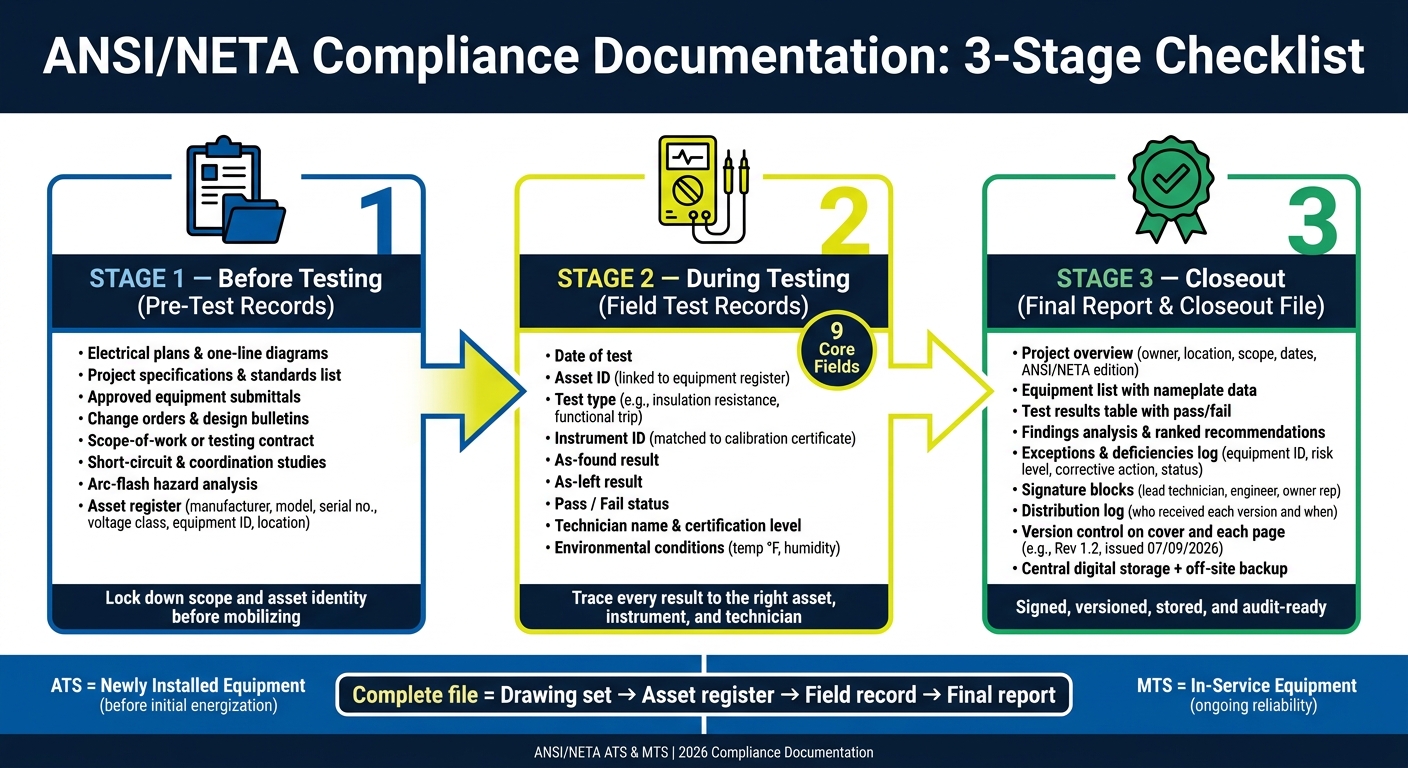
I’d boil this checklist down to 3 stages and 1 goal: build one audit-ready file that shows the job was planned, performed, reviewed, and closed out the right way. The article focuses on documentation for both ANSI/NETA ATS for new equipment and ANSI/NETA MTS for equipment already in service.
At a glance, you need to have:
- Pre-test records: plans, one-lines, specs, change orders, submittals, scope, and asset IDs
- Field test records: test dates, asset IDs, test type, instrument ID, as-found and as-left values, pass/fail, technician info, and site conditions
- Issue records: deficiency logs, corrective actions, open items, status, and target completion dates
- People and tool records: technician certification, training, job authorization, calibration certificates, JHAs, briefings, PPE, and permit records
- Closeout records: final report, attachments, signatures, version control, storage, and backup
The main point is simple: don’t treat the report as a standalone PDF. It needs support records behind it. That includes the asset register, field notes, calibration links, and issue tracking tied to the same equipment ID from start to finish.
A few details stand out:
- ATS is for newly installed power equipment before initial energization and acceptance
- MTS is for in-service equipment to support reliability over time
- Each test record should include 9 core fields
- The closeout package should track who received each version and when
- File naming, revision dates, and attachment checks matter just as much as the test tables
| Stage | What I’d make sure is in the file | Why it matters |
|---|---|---|
| Before testing | Scope records, drawings, submittals, studies, asset register | Keeps the equipment list and test scope straight |
| During testing | Field results, as-found/as-left values, issue notes, instrument links | Shows what was tested, with what, by whom, and what changed |
| Closeout | Final report, issue log, signatures, attachments, storage copy | Supports turnover, audits, and later maintenance review |
Bottom line: if you can trace each result from the drawing set to the asset register, then to the field record, then to the final report, you’re in much better shape for owner review, insurance questions, and inspection sign-off.
ANSI/NETA Compliance Documentation: 3-Stage Checklist
Avoiding Common Gaps in Your Electrical Maintenance Program
Project and Equipment Records to Collect Before Testing
Before field testing starts, collect the records that lock down scope and asset identity. This step helps avoid scope gaps, missed equipment, and fights over compliance later. ANSI/NETA acceptance testing specifications call for a complete set of electrical plans and specifications, including all change orders, along with drawings and instruction manuals tied to the scope of work and an itemized list of equipment to be inspected and tested before field work begins.
Required Project File Documents
Every project file should include approved electrical plans, one-line diagrams, project specifications, an applicable standards list, approved equipment submittals, and a written scope-of-work or testing contract. The file should also spell out which systems are in scope and who handles test power, preliminary tests, and reporting.
Some documents depend on the job and should be collected early when the scope calls for them. That usually includes short-circuit and coordination studies, protective device settings, arc-flash hazard analysis, and owner commissioning forms. These show up most often on medium-voltage systems, high-fault-current sites, selective-coordination jobs, and sites with onsite generation or paralleling equipment.
Equipment Identification Records
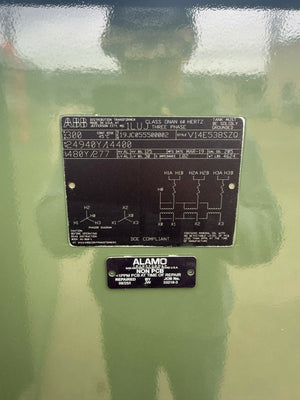
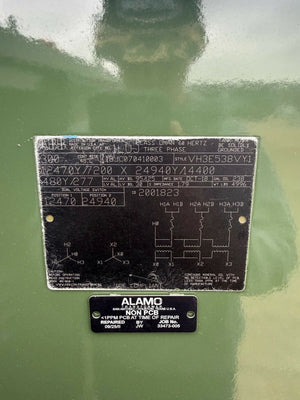
Every asset in scope needs a standard identification record before testing begins. At a minimum, record the manufacturer, model number, serial number, voltage class, equipment ID or tag, physical location, panel or switchboard designation, and owner asset tag or CMMS ID.
Build this equipment register by checking one-line diagrams, panel schedules, and approved submittals against each other, then confirm it with a pre-testing walkdown. That extra check matters. Some assets only appear on coordination studies or vendor drawings, like inline protective relays or added transfer switches. Another common issue is mismatched IDs between drawings and nameplates, which can send test records to the wrong file.
When equipment comes from secondary markets or reconditioners, such as Electrical Trader, add purchase records, supplier reconditioning reports, manufacturer datasheets, and any pre-shipment test results to the equipment file. That keeps traceability intact.
Document Matrix Table
Use the table below to confirm which documents apply before mobilizing.
| Document | When Required | Compliance Purpose |
|---|---|---|
| Electrical plans and one-line diagrams | All projects | Defines system topology and test scope |
| Project specifications and standards list | All projects | Sets required test types and acceptance criteria |
| Approved equipment submittals and shop drawings | New or modified equipment | Confirms ratings, configurations, and manufacturer test recommendations |
| Change orders and design bulletins | All projects with revisions | Prevents testing against obsolete scope |
| Scope-of-work or testing contract | Contracted testing | Defines in-scope systems and reporting responsibilities |
| Short-circuit and coordination studies | Systems above 600 V, high-fault-current sites, or where selective coordination is specified | Validates interrupting ratings and protective device settings |
| Protective device settings file | When relays or programmable trip units are in scope | Provides engineered set points for field verification |
| Arc-flash hazard analysis | When NFPA 70E or owner policy requires labeling | Determines PPE categories and incident energy levels for safe testing |
| Owner commissioning and regulatory records | Healthcare, data center, insurance-driven projects | Supports final approvals, accreditation audits, and turnover |
| Used/reconditioned equipment records | When used or reconditioned equipment is installed | Maintains asset traceability and documents pre-test condition |
With scope and asset records locked, field testing can move forward from a clean baseline. After these records are complete, record test data, notes, and exceptions against that same asset list.
Test Data, Field Notes, and Exception Tracking
Use the equipment register from the prior section to link each field result to the right asset.
Minimum Data Fields for Each Test Record
Every test record needs a small set of core details. This is what keeps the file clean and makes later review much easier.
- Date – date the test was performed
- Asset ID – the same identifier used in the equipment register
- Test Type – specific test performed (for example, insulation resistance, contact resistance, or functional trip test)
- Instrument ID – calibrated instrument used, matched to its calibration certificate
- As-Found Result – measured value or condition before any adjustment or repair
- As-Left Result – measured value or condition after any adjustment or repair
- Pass/Fail – result against the applicable acceptance criterion
- Technician – name and certification level of the person who performed the test
- Environmental Conditions – ambient temperature (°F), humidity, and any conditions affecting results
For details like manufacturer, model, serial number, and location, point back to the asset register instead of repeating them in every test record. That keeps the record tighter and cuts down on errors.
Once those fields are in place, document any deviations found in the field.
As-Found, As-Left, and Corrective Action Notes
Test data is the audit trail between the pre-test file and the final report. If an adjustment, repair, or setting change took place, record both the as-found and as-left values for that test. That before-and-after view matters. It shows what changed, who changed it, and whether the asset ended up in an acceptable state.
Include these notes in each case:
- As-found – the measured result or observed condition before any intervention; record it even if the equipment passes
- As-left – the measured result or observed condition after the intervention is complete
- Corrective action taken, by whom, and when – describe the exact action, the technician who performed it, and the date it was completed
- Unresolved deficiencies – if something could not be corrected during the test visit, log it with a status note and carry it through to closeout; don’t leave it out of the record
Keep every exception tied to the same Asset ID used across the file. That way, each deficiency points back to one asset record, not a scattered trail of notes.
These notes flow straight into exception tracking and the final report.
sbb-itb-501186b
Safety, Qualifications, and Calibration Records
Once test results are logged, the next step is simple: show who did the work, why they were allowed to do it, and whether the tools were current.
That’s what this section is for. It pulls together the records needed to check technician qualification, job safety, and instrument calibration. A technician’s name by itself doesn’t do the job. The file also needs proof of certification, authorization, and calibration traceability.
Technician Qualifications and Testing Organization Records
Use the checklist below to collect the records that support both personnel qualification and measurement reliability.
| Document | What to Capture |
|---|---|
| Technician certification status | Current NETA certification level and issuing body |
| Job authorization | Employer authorization, job role and scope of authority |
| Training records | Dated logs of job-relevant technical and safety training |
| Firm qualification records | Firm credentials, policy acknowledgments, and internal qualification records |
A good rule here: calibration records should match the instrument ID listed in each test record. If the IDs don’t line up, the paperwork leaves a gap.
Instrument Calibration and Job Safety Documentation
This set of records ties the instrument to the test and the crew to the safety process.
| Document | What to Capture |
|---|---|
| Instrument calibration certificates | Instrument ID, calibration date, calibration due date, and issuing calibration lab |
| Job hazard analysis (JHA) | Identified hazards, controls applied, and sign-off by responsible party |
| Pre-job briefing records | Date, attendees, topics covered, and supervisor sign-off |
| PPE and permit documentation | Required PPE for each task, energized work permits, and lockout/tagout records |
Final Report and Closeout File
Once the qualification and calibration records are done, the last step is to pull everything together into a signed closeout package for the owner.
What the Final ANSI/NETA Report Should Include
The final report should include the following:
- Project overview – owner, facility location, scope of work, dates, and the applicable ANSI/NETA edition
- Equipment list – all tested assets, along with nameplate data and owner asset IDs
- Test results – results in table form with a clear pass/fail status
- Findings analysis – an explanation of abnormal readings and trends, followed by recommendations ranked by safety, reliability, and regulatory impact
- Exceptions and deficiencies log – each issue’s equipment ID, risk level, corrective action, responsible party, target completion date, and status
- Signature blocks – lead technician or supervisor, responsible engineer, and owner representative, with names, titles, and dates
- Distribution log – who received each version and when
Closeout Controls and Document Storage
After the final report is signed, lock the record set and check every attachment. Make sure version control identifiers such as Rev 1.2, issued 07/09/2026 appear on the cover and on each page. Verify that all required signatures are there. Then confirm that every referenced attachment is included, such as one-line diagrams, relay settings files, calibration certificates, and field notes.
If any deficiency led to replacement equipment, attach the procurement records and supplier documentation, including Electrical Trader records when they were used.
Store the report in a central digital repository with standard folders and file names - for example, PlantA_ANSI-NETA_TestReport_2026-07-09_Rev1.pdf. Keep one off-site backup too, so the records are still available for maintenance, audits, and insurance reviews.
Conclusion: Core Documents That Complete the File
The file isn’t complete until the report, attachments, and support records match the earlier checklist. A standard checklist built around U.S. conventions - MM/DD/YYYY dates, imperial units where they apply, and local regulatory context - can help cut the chance of missing calibration certificates, unsigned reports, or incomplete test tables that may delay energization or inspection approval.
A closeout file is complete when it includes all support records, a signed final report, and an exceptions log.
FAQs
What’s the difference between ANSI/NETA ATS and MTS?
ANSI/NETA ATS applies to new electrical equipment and systems. It checks installation quality and confirms the equipment is ready to operate before it’s energized for the first time.
ANSI/NETA MTS applies to existing, service-aged equipment. It’s used for periodic maintenance or post-repair testing to spot issues that show up over time and help support continued reliability.
What records are most often missing in an ANSI/NETA audit?
The records most often missing or incomplete are maintenance logs, service histories, and test results.
Auditors also tend to find:
- Outdated or inaccurate panel directories
- Missing load calculations
- As-built drawings that don’t match field changes
Another common gap is tool calibration records that don’t show calibration within the last 12 months.
For compliance, you need a complete history of testing, repairs, and component replacements.
How should used or reconditioned equipment be documented?
For ANSI/NETA and NEC compliance, document reconditioned equipment with the name or trademark of the organization that performed the work and the completion date. If that history is missing, it’s best to walk away. Once equipment is modified after leaving the factory, the original UL certification is no longer valid.
With refurbished equipment, keep the paper trail tight. Save technician notes, workshop checklists, and proof of load testing. You should also confirm that critical parts, such as circuit breakers, can be legally reconditioned.