Ultimate Guide to Remote Generator Control Apps
Remote generator control apps make managing backup power systems simpler and more efficient. These tools allow you to monitor and control generators from your smartphone, tablet, or computer, eliminating the need for in-person inspections. Here's what you need to know:
- Key Features: Real-time monitoring of fuel levels, oil pressure, battery voltage, and more. Many apps also enable remote start/stop and automated maintenance schedules.
- Connectivity Options: Wi-Fi, cellular, and Bluetooth are the primary methods for app-to-generator communication, each with unique advantages depending on your setup.
- Top Apps: Generac Mobile Link (for Generac and compatible brands), Kohler Energy Management (for Kohler generators), and Honda My Generator (for Honda portable models) are leading options.
- Benefits: These apps save time, reduce costs by up to 70%, prevent fuel theft, and ensure compliance with safety standards like NFPA 99/110.
Quick Comparison Table:
| App | Best For | Connectivity | Subscription Cost |
|---|---|---|---|
| Generac Mobile Link | Standby generators | Wi-Fi, Cellular, Ethernet | $5.49–$14.99/month (Premium) |
| Kohler Energy Management | Residential/light commercial use | Wi-Fi, Cellular, Ethernet | Free (app only) |
| Honda My Generator | Portable generators | Bluetooth | Free |
Remote generator apps are a practical solution for managing power systems, offering real-time insights, predictive maintenance, and peace of mind.
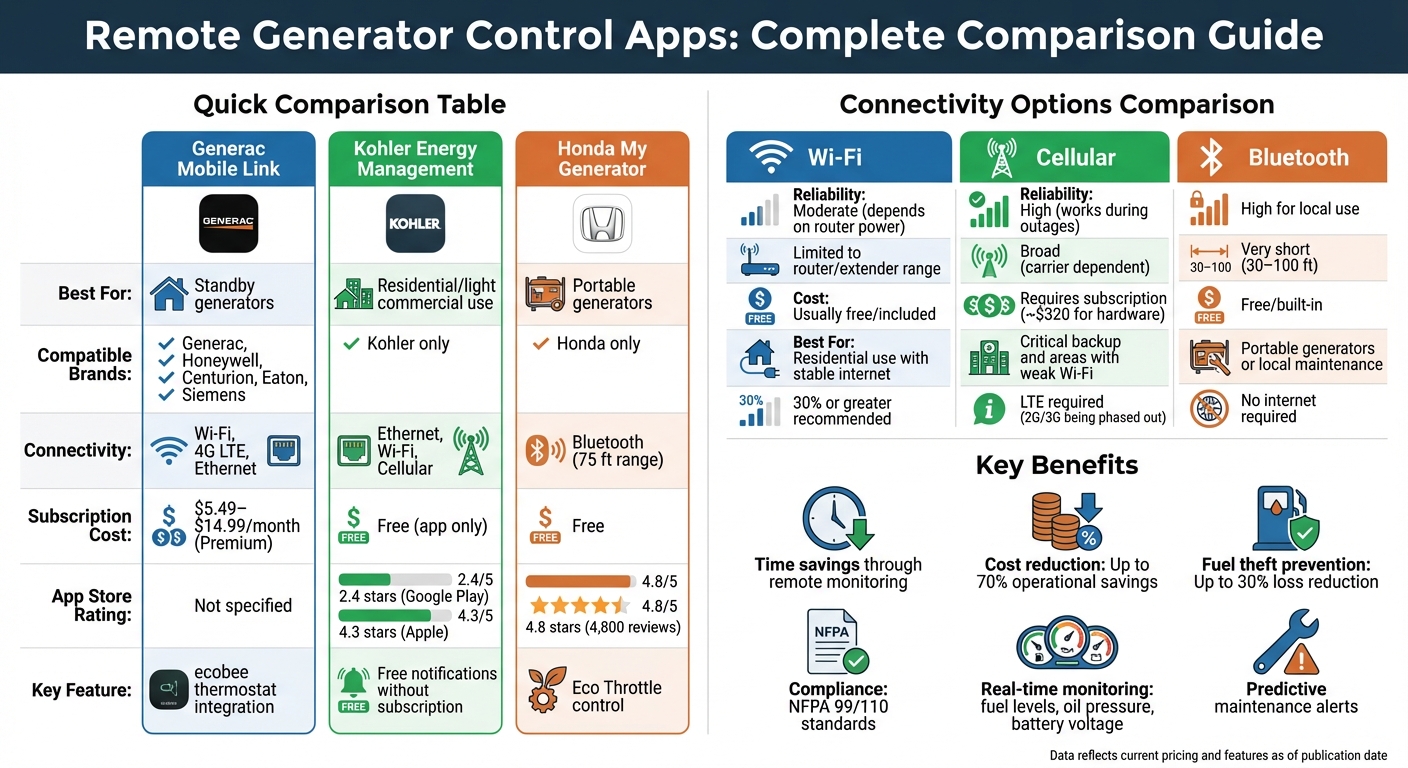
Remote Generator Control Apps Comparison: Features, Connectivity, and Costs
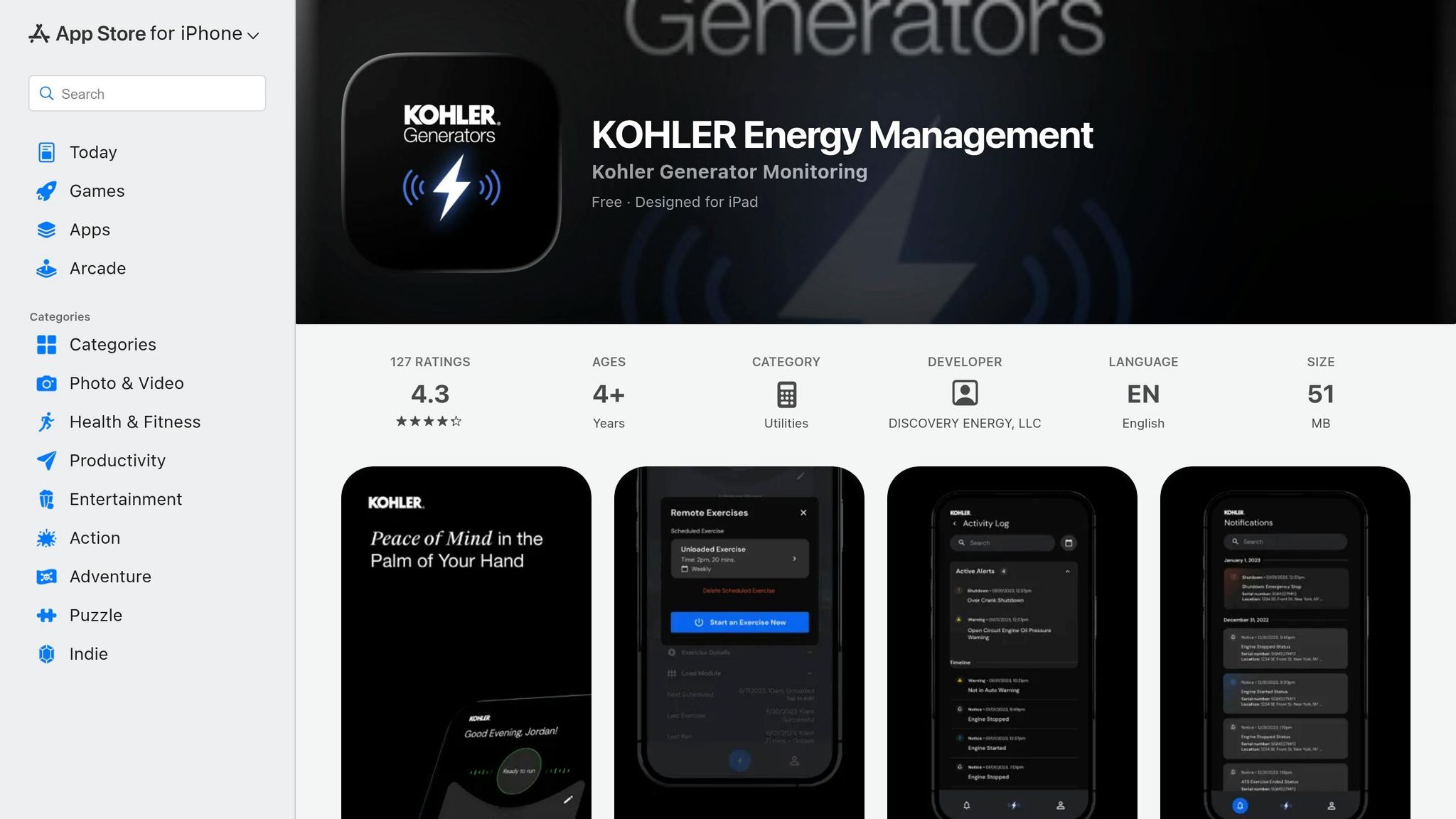
Welcome to the NEW KOHLER Energy Management App
sbb-itb-501186b
How Remote Generator Control Apps Work
Remote generator control apps link your generator's control panel to a cloud platform using built-in modules or external devices. Sensors collect data like fuel levels, battery voltage, and temperature, then send this information wirelessly to your smartphone or tablet for real-time updates. This gives you a clear, instant view of your generator's status.
These apps go beyond monitoring by allowing two-way communication. You can remotely start or stop the generator, tweak exercise schedules, or adjust settings. When a power outage occurs, the transfer switch activates the generator within seconds, and this is reflected in the app. Additionally, service dealers can access the system remotely to check fault codes and diagnose problems.
After the initial setup, it can take up to 15 minutes for the app to fully sync with the generator’s data. These apps also track runtime and maintenance needs - like oil changes or spark plug replacements - and send reminders to help you avoid expensive repairs and maintain warranties. Notifications via push alerts, text messages, or emails keep you informed about the generator’s activity, whether it’s running, exercising, or encountering a fault.
Connectivity Options: Wi-Fi, Cellular, and Bluetooth
Most remote generator control apps offer three main ways to connect: Wi-Fi, cellular, and Bluetooth.
-
Wi-Fi
Wi-Fi is the most common option, often pre-installed on modern generators. It connects through your home’s broadband router and requires a dedicated 2.4 GHz network since many systems don’t support 5 GHz or dual-band networks. A signal strength of at least 30% is recommended for stable operation. As Generac Support explains:
However, Wi-Fi may not work during a power outage if your router loses power.Signal strength of 30% or greater is recommended. If the signal strength falls below 30%, install a Wi-Fi booster or extender.
-
Cellular
Cellular connectivity, like the Generac Connectivity Cellular Accessory, is an aftermarket upgrade. It works independently of your home internet, making it more reliable during outages. Generac highlights this benefit:
Cellular performance depends on regional network coverage and requires an LTE-capable device, as older 2G/3G networks are being phased out. South Shore Generator notes:Upgrade your Wi‑Fi connection to Cellular for a more reliable monitoring experience... the Connectivity Cellular Accessory is the key to unlocking next level generator monitoring.
Most Non‑LTE cellular will be discontinued within 1 – 5 years, so devices which solely rely on this technology will have to be replaced.
-
Bluetooth
Bluetooth is ideal for short-range, local control, typically within 30 to 100 feet of the generator. It doesn’t need an internet connection, making it useful for portable generators or on-site maintenance. However, it limits monitoring to the immediate area around the generator.
| Connectivity Type | Reliability | Range | Cost | Best For |
|---|---|---|---|---|
| Wi‑Fi | Moderate; depends on router power | Limited to router/extender range | Usually free/included | Residential use with stable internet |
| Cellular | High; works during outages | Broad (carrier dependent) | Requires subscription | Critical backup and areas with weak Wi‑Fi |
| Bluetooth | High for local use; no internet required | Very short (30–100 ft) | Free; built-in | Portable generators or local maintenance |
Once connected, the app integrates seamlessly with the generator’s system for full remote control.
Integration with Generator Systems
After setting up a stable connection, pairing the app with your generator is straightforward. Most systems use a "soft AP" setup, where the generator’s controller broadcasts a temporary Wi-Fi network (usually named something like "MLGXXXXX"). You connect your phone to this network and use the app to transfer your home Wi-Fi credentials to the generator.
Before you start, always set the generator to "OFF" on the control panel to avoid accidental startups. Once the controller is in Access Point (AP) mode, the temporary network activates. After configuration, the generator switches back to "AUTO" mode, ready to handle future outages.
If your Wi-Fi signal strength is below 30%, consider installing a 2.4 GHz Wi-Fi extender or booster between your router and generator to avoid frequent disconnections. Also, ensure your router supports 802.11b/g/n protocols, as many generator modules can’t detect 5 GHz networks. For Generac systems, remote monitoring works with Nexus, Evolution 1.0, and Evolution 2.0 control panels.
One common challenge is that during a power outage, the generator may not reconnect to Wi-Fi until the outage ends and the unit is no longer under load. Temporary data mismatches between the app and generator can occur if the router loses power, but the system will resync automatically once the internet connection is restored.
Top Remote Generator Control Apps
The U.S. market offers several remote generator control apps tailored for different brands and generator types. Among the top contenders are Generac Mobile Link, Kohler Energy Management, and Honda My Generator, each designed to simplify generator management and enhance convenience.
Generac Mobile Link
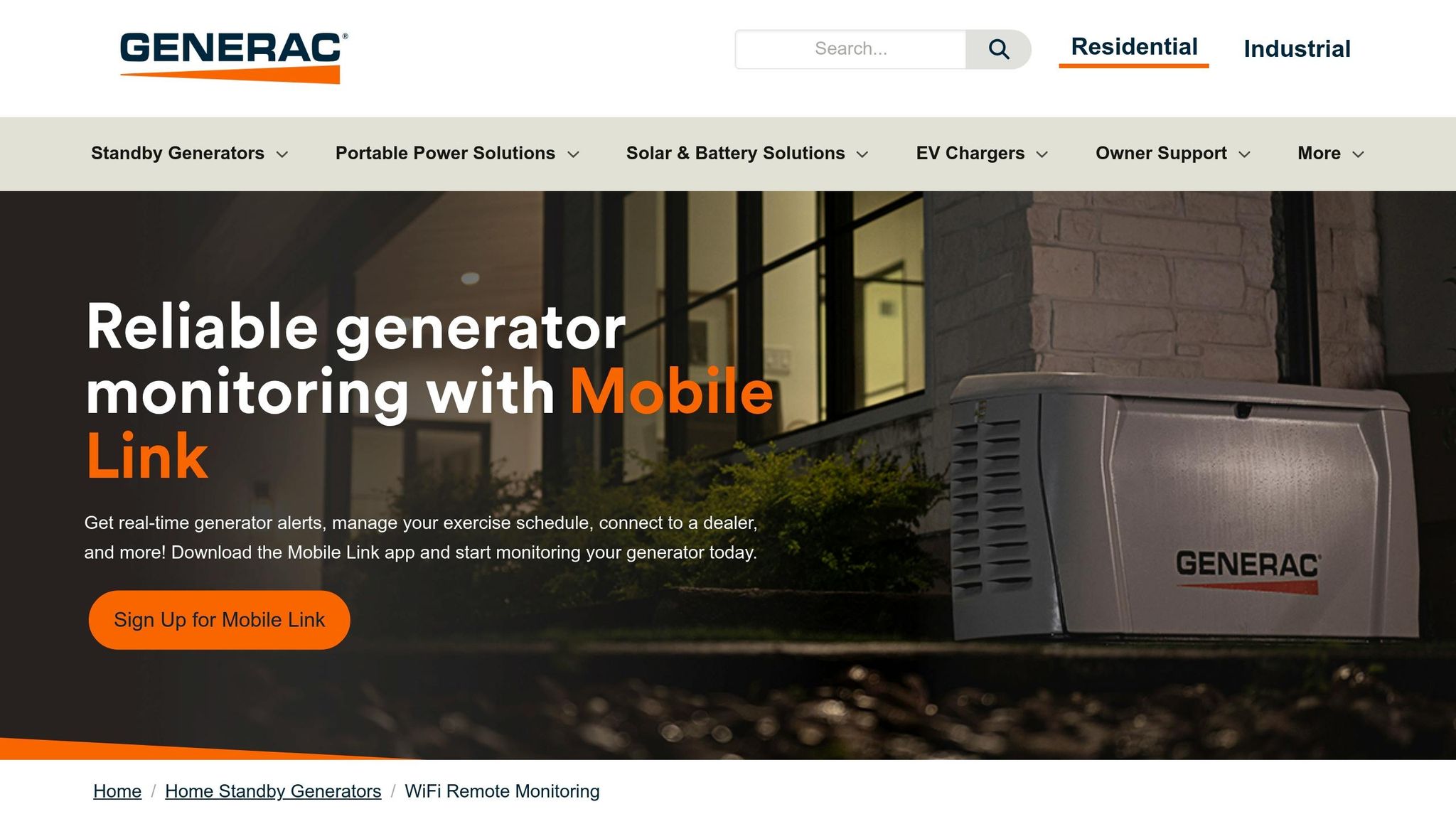
Generac Mobile Link stands out for its versatility, supporting not only Generac generators but also brands like Honeywell, Centurion, Eaton, and Siemens.
This app provides real-time monitoring, tracks maintenance history, and allows users to schedule remote exercise cycles. A notable feature is its integration with ecobee thermostats, enabling users to check generator status directly on their thermostat display. For those who rely on propane or natural gas, an optional accessory tracks fuel levels.
Generac offers both free and paid subscription plans:
- Basic Monitoring: Free for up to two generators.
- Premium Subscription: Includes advanced features like remote exercise scheduling and real-time alerts. Pricing varies depending on the enrollment method: $5.49/month or $54.99/year via the Generac website, compared to $7.49/month or $74.99/year through the App Store. For managing multiple properties, the Multi-Home Premium plan supports up to two generators and four fuel monitors for $10.99/month (web) or $14.99/month (app).
Connectivity options include Wi-Fi, Ethernet, and 4G LTE. The cellular upgrade, priced at approximately $320, ensures reliable monitoring even during power outages when Wi-Fi may be unavailable. However, some users have reported occasional Wi-Fi connectivity issues and the need for a subscription to access basic notifications.
This app reflects the growing demand for efficient and remote generator management.
Kohler Energy Management App
The Kohler Energy Management App is designed for Kohler standby generators, covering both residential and light commercial models. It provides free notifications and remote exercise scheduling without requiring a subscription.
Connectivity options include Ethernet, Wi-Fi, and cellular, with hardwired Cat6 Ethernet connections offering increased stability. The app displays real-time data such as voltage, RPM, and oil pressure, while also maintaining logs of historical data and maintenance records.
While the app’s free features are appealing, user feedback has been mixed. It holds a 2.4-star rating on Google Play (from 180 reviews) and a 4.3-star rating on the Apple App Store (from 124 ratings). Complaints often mention frequent "offline" notifications and challenges during the transition from the older "OnCue" system. For professionals managing multiple units, Kohler provides a PRO Admin Portal and a separate PRO app tailored for fleet management.
Honda My Generator Bluetooth App
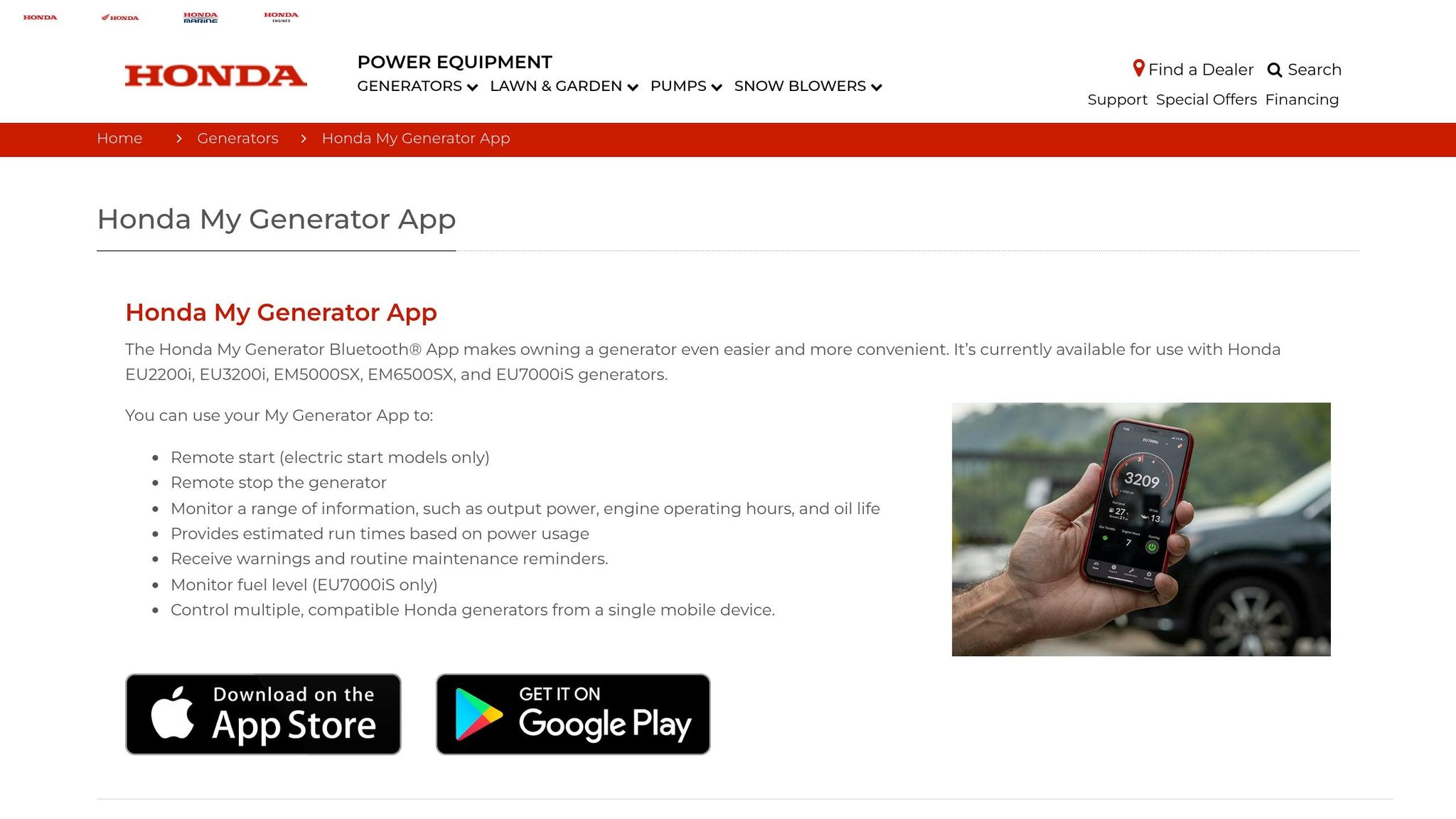
The Honda My Generator Bluetooth App is built for Honda portable generators equipped with Bluetooth, such as the EU2200i. It offers complete engine control and fuel monitoring within a Bluetooth range of about 75 feet. The app has been downloaded over 50,000 times and enjoys a 4.8-star rating on the Apple App Store from 4,800 reviews, praised for its simplicity and reliability.
Unlike apps for standby generators, this app allows users to start and stop electric-start models remotely, monitor power output (VA/Amps), and receive maintenance alerts based on engine run hours. It also features Eco Throttle control, which adjusts engine speed based on the load to improve fuel efficiency.
However, the Bluetooth range limits its use to local control, making it ideal for job sites, RVs, or camping trips but unsuitable for remote monitoring over long distances. Users should ensure Bluetooth pairing is completed within 30 seconds of starting the generator, as occasional connection issues may require restarting the device.
For portable power needs, this app provides a practical solution consistent with modern generator management tools.
| App | Compatible Brands | Connectivity | Subscription Cost | Best For |
|---|---|---|---|---|
| Generac Mobile Link | Generac, Honeywell, Centurion, Eaton, Siemens | Wi-Fi, 4G LTE, Ethernet | $5.49–$14.99/month (Premium plans) | Standby generators with remote monitoring needs |
| Kohler Energy Management | Kohler | Ethernet, Wi-Fi, Cellular | Free (app); cellular hardware may require a data plan | Residential and light commercial standby units |
| Honda My Generator | Honda | Bluetooth | Free | Portable generators for job sites and local use |
Setup and Compatibility Requirements
Getting the technical details right from the start can save you a lot of headaches later. Most setup problems happen because of network issues or skipped configuration steps, so it's worth paying attention to these details upfront.
App Installation Steps
First, download the app from either the Apple App Store or Google Play Store. For Generac Mobile Link, you'll need to create an account. This involves entering a 6-digit verification code, creating a password with at least 12 characters, and providing some basic owner information. Keep the app open during the email verification process to avoid losing your setup progress.
Before pairing, turn the generator's control panel to "OFF" mode. This prevents the unit from starting accidentally during the setup. Then, go to the "WIFI" or "SETUP WIFI" menu on the generator and select "YES" when prompted to "REDO WIFI." This action puts the generator into "SET TO AP" mode. At this point, the generator will broadcast a temporary network with a name like "MLG…" Android devices usually connect to this network automatically, but iOS users will need to select it manually in their Wi-Fi settings.
Once your device is connected to the generator's temporary network, use the app to select your home 2.4GHz Wi-Fi network and enter the network password. Be careful here - don’t confuse your Wi-Fi password with your Mobile Link account password, as this is a common mistake. After the generator shows "NOW CONNECTED", make sure the Wi-Fi signal strength is at least 30%, set the correct time zone, and switch the generator back to "AUTO" mode. Keep in mind, it might take up to 15 minutes for the generator data to refresh.
If the Wi-Fi signal is weak (below 30%), you may need to add a 2.4GHz-only Wi-Fi extender to boost the connection. For more reliable connectivity, especially during power outages when routers go offline, consider upgrading to a cellular accessory. This option bypasses Wi-Fi entirely and ensures a steady connection.
Once the app is set up and everything is configured, double-check that both your device and generator meet compatibility requirements for smooth operation.
Device and Generator Compatibility
After installation, it’s important to confirm that your device and generator settings meet all compatibility requirements. Most generator control apps work on iOS and Android, but they require specific permissions like Location and Local Network access to pair with the generator’s temporary network. On Android, enabling location permissions is essential for Wi-Fi pairing, even though the app doesn’t track your physical location.
Generator compatibility depends on the brand and model. For example, the Kohler Energy Management app works with generators ranging from 6kW to 60kW but does not support the 12RES model. Generac Mobile Link is compatible with Guardian Series home standby generators that have built-in Wi-Fi or support external connectivity accessories. To check if your generator is compatible, look for "WIFI" or "SET UP WIFI" options on its control panel. If those options aren’t available, you may need an external Wi-Fi or cellular module.
For a smooth setup, follow the earlier instructions for connecting to a 2.4GHz Wi-Fi network. Make sure to use a dedicated 2.4GHz network (802.11 b/g/n). If you have a mesh or dual-band router, disable band steering or create a separate SSID for the 2.4GHz band. Proper network and device settings not only simplify the setup process but also ensure reliable monitoring.
| Requirement | Generac Mobile Link | Kohler Energy Management |
|---|---|---|
| Supported Models | Guardian Series Home Standby | 6kW to 60kW (excluding 12RES) |
| Network Type | 2.4GHz (802.11 b/g/n) | Internet connection required |
| Mobile OS | iOS and Android | iOS and Android |
| Key Setup Step | Set controller to "AP Mode" | Download app for alerts |
Maintenance and Monitoring with Apps
Once your device and generator are set up, the next step is using apps to simplify maintenance and monitoring. Remote generator control apps take the hassle out of maintenance scheduling by keeping track of key metrics like engine hours and exercise cycles. They even notify you when it’s time for service.
Preventive Maintenance Features
These apps are designed to help you stay on top of routine tasks like oil changes and filter replacements. By tracking total runtime hours, they ensure you never miss a service interval, which is crucial for keeping your warranty intact. Apps also monitor for potential issues, such as low oil pressure or a weak battery, and provide specific error codes to help you identify problems. For example, Generac Mobile Link uses "Ecode" numbers to make fault identification straightforward.
Another handy feature is automated test cycles, including the "Exercise with Power Transfer" option, which tests both the engine and the transfer switch. You can adjust the frequency, day, and time for these cycles remotely. For models with compatible transfer switches - like Generac's PowerZone 200 - this feature ensures the entire system is tested, not just the engine. Many apps also offer integration with authorized dealers, allowing certified technicians to monitor performance data and address issues before they escalate.
| Maintenance Feature | Benefit |
|---|---|
| Fault Notifications | Alerts you to issues like low battery or oil pressure before failures occur |
| Exercise Duration Slider | Lets you customize test cycles for specific needs |
| Historical Event Logs | Keeps a transparent record for new owners or insurance purposes |
| Proactive Reminders | Ensures routine maintenance tasks aren’t overlooked |
Maintenance Best Practices
In addition to automated features, following a few best practices can help you get the most out of your generator.
Enable push notifications for critical alerts, such as shutdowns, low fuel levels, or fault codes. This is especially important during extreme weather when your generator is most likely to be in use. Use the app to confirm that scheduled exercise cycles have been completed. If a cycle is missed, it could indicate issues with the battery or starter.
For generators that support it, make use of the "Exercise with Power Transfer" feature. Standard exercise cycles typically only run the engine, but this advanced test also checks whether the transfer switch can shift power to your home during an outage. This test usually starts within 15 minutes of activation and ensures your whole system is functioning as it should. If your generator runs on propane, consider integrating a fuel monitor with the app to track fuel levels and avoid running out during extended outages.
Keep digital records of all service visits, oil changes, and battery replacements using the app’s maintenance history feature. This not only helps maintain your warranty but also provides a clear service history if you ever decide to sell your property. If your app supports dealer integration, connect it to a certified local service provider. This allows technicians to monitor your generator remotely and diagnose problems before they require a service call, making remote management even more effective.
"Monitoring your generator's run time and managing exercise schedules through the app ensures maintenance is performed on time, protecting your warranty and preventing costly repairs." - Generac
Conclusion
Remote generator control apps are transforming how electrical and construction professionals manage backup power systems. These tools shift the focus from reactive repairs to proactive diagnostics, catching issues like low battery voltage or coolant leaks early - before they spiral into expensive failures. By moving from manual checks to remote monitoring, businesses can cut operational costs by up to 70%, significantly reducing labor and downtime expenses. This proactive approach highlights the importance of efficient generator management.
Centralized monitoring also minimizes the need for daily physical inspections and travel, saving both time and money. With real-time data access, you can monitor fuel consumption, detect theft (potentially reducing losses by up to 30%), and fine-tune delivery schedules based on actual usage. GPS-enabled tracking adds another layer of security, alerting you to unauthorized movement - an especially useful feature for portable generators on construction sites.
"Remote monitoring yields significant savings in production downtime. This is well worth the investment for many business owners." – Valley Power Systems
The technology is advancing rapidly, incorporating AI and predictive analytics to forecast component failures before they happen. This goes beyond simple alerts, enabling intelligent maintenance scheduling. For facilities that must comply with NFPA 99 and 110 codes, automated reporting features streamline logging and ensure audit readiness. These enhancements boost reliability and compliance, making remote management an even smarter choice. Whether you're overseeing a single residential generator or managing a fleet across multiple locations, these apps provide the operational efficiency and cost savings that justify the investment in monitoring systems.
For those looking to upgrade their power generation equipment, Electrical Trader offers a wide range of new and used generators and power distribution components.
FAQs
Will the app still work if my internet goes out during a power outage?
If your internet connection drops during a power outage, the app might not work as expected for remote monitoring or control. This happens because the app relies on an active internet connection to communicate with the generator.
Do I need extra hardware to connect my generator to a control app?
When deciding on remote control options for your generator, it all comes down to your generator model and the level of functionality you're looking for. If you're just after simple remote start/stop capabilities, the built-in control panel might already have you covered, with no need for extra equipment.
However, if you're aiming for more advanced features, like app-based control, additional hardware could be required. This might include components such as a Wi-Fi module or a communication controller. It's worth checking whether your generator has built-in Wi-Fi or if you'll need to purchase compatible hardware to enable app connectivity. Always verify compatibility to avoid unnecessary purchases.
How can I fix weak 2.4 GHz Wi-Fi signal issues at the generator?
If your 2.4 GHz Wi-Fi signal near the generator isn't cutting it, here are some tips to improve it:
- Relocate the router: Place it closer to the generator to strengthen the signal.
- Minimize interference: Keep devices like microwaves, cordless phones, or baby monitors away from the router. These can disrupt the signal.
- Remove physical barriers: Walls, large furniture, or other obstructions can weaken the Wi-Fi. Clear the path for a better connection.
- Upgrade or reset your router: Sometimes, a quick reset or a newer model with better range can make a big difference.
- Consider a Wi-Fi extender: If all else fails, use an extender to expand the coverage area and ensure the signal reaches the generator.