Ultimate Guide to 2N Redundancy for Backup Power
Downtime is expensive. On average, data center outages cost $5,600 per minute, and a single hour can cost businesses over $1 million. For critical operations like hospitals, data centers, and manufacturing, power interruptions are not an option. That’s where 2N redundancy comes in.
Here’s the key idea: 2N redundancy duplicates every critical component - creating two independent systems, each capable of handling the full load. If one fails, the other takes over instantly. This approach ensures 99.995% uptime, translating to less than 26.3 minutes of downtime per year for Tier IV data centers. While this setup requires double the infrastructure and higher costs, the reliability it provides is essential for industries where even a few minutes of downtime can be catastrophic.
Why 2N Redundancy Matters:
- Eliminates single points of failure by using separate power paths.
- Supports full load during maintenance without disruption.
- Achieves fault tolerance for critical systems like power, cooling, and networking.
Key Takeaways:
- 2N vs N+1: Unlike N+1, which adds just one extra component, 2N fully duplicates systems for maximum reliability.
- Cost vs Benefit: While 2N systems are more expensive, they prevent costly outages, which can exceed $138,000 per hour for U.S. data centers.
- Applications: Widely used in data centers, hospitals, and industrial facilities where uptime is non-negotiable.
This guide dives deep into designing, implementing, and maintaining 2N redundancy systems, ensuring you can decide if it’s the right choice for your operation.
Enterprise Data Center: N+1 and 2N Options for Power Redundancy
sbb-itb-501186b
What is 2N Redundancy?
2N redundancy means fully duplicating every critical component in a system, creating two independent setups - commonly referred to as System A and System B. The "N" stands for the minimum capacity required to operate a facility, so "2N" simply means doubling that capacity.
This setup eliminates single points of failure by utilizing completely separate power paths and independent input and output feeders. If one system fails, the other immediately takes over the load. Since there’s no shared circuitry between the two systems, a fault in one doesn’t affect the other.
This design not only protects against unexpected failures but also allows for uninterrupted maintenance. As Sunbird DCIM explains, 2N redundancy enables "concurrent maintainability", meaning one system can be taken offline for repairs, upgrades, or cleaning while the other continues to handle the full operational load. For instance, a facility that requires two UPS units would deploy four in a 2N setup - two active and two as backups.
Core Features of 2N Redundancy
Three key characteristics define 2N redundancy:
- Complete Duplication: Every critical hardware component - UPS units, generators, cooling systems, and power distribution equipment - is replicated.
- Independent Power Feeds: Separate power distribution paths prevent vulnerabilities caused by shared circuits.
- True Fault Tolerance: The system can handle the failure of an entire setup or multiple components simultaneously without causing downtime.
This approach often extends beyond power systems to include networking devices like routers and switches, storage arrays, and cooling infrastructure. It does require considerably more physical space, ensuring that each system can operate and be maintained independently without interference. To validate the design, Data Center Infrastructure Management (DCIM) software can simulate failover scenarios, identifying potential issues before they occur.
Advantages of 2N Redundancy
In industries where downtime costs can reach $138,000 per hour and emergency generators have a failure rate of up to 15% after eight hours, the continuous uptime provided by 2N redundancy is critical. For high-risk environments, even a brief interruption can lead to severe consequences, making a parallel system indispensable.
A 2N setup typically achieves 99.995% availability, equating to less than 26.3 minutes of downtime per year. This level of reliability is why it’s the gold standard for Tier IV data centers, major hospitals, and financial institutions.
"2N redundancy offers the sort of fault tolerance needed for the most demanding environments."
– DataBank
However, this reliability comes with tradeoffs. Doubling the infrastructure means maintaining 100% stranded capacity, leaving half of the system idle under normal operations. Additionally, both systems consume more energy compared to simpler configurations. Despite these costs, the ability to perform maintenance without planned downtime and the assurance of uninterrupted operations during a failure make 2N redundancy a worthwhile investment for mission-critical applications.
2N Redundancy vs N+1 and 2(N+1) Configurations
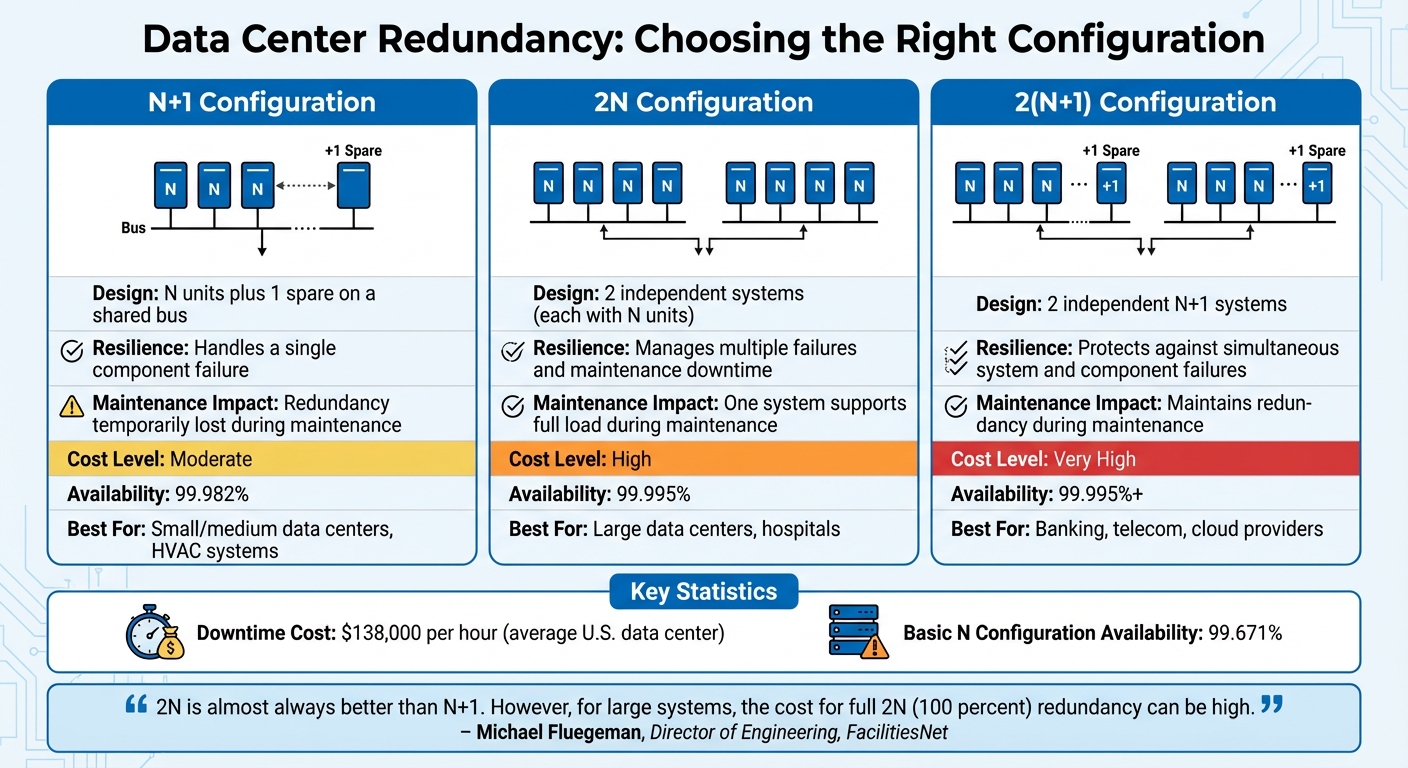
2N vs N+1 vs 2(N+1) Redundancy Comparison Chart
Let’s break down how 2N redundancy stacks up against N+1 and 2(N+1) configurations. Choosing the right redundancy model means finding the sweet spot between risk tolerance, budget, and the level of protection you need. Here's a closer look at how these setups differ in terms of reliability and cost.
N+1 redundancy includes the number of units (N) required to handle the load, plus one extra unit for backup. All units share a common load path. While this setup can handle a single component failure, it’s not without risks. As Datacenters.com Technology explains:
"An N+1 system... is not, however, a fully redundant system and can still fail because the system is run on common circuitry or feeds at one or more points."
One key drawback? During maintenance, the remaining units must carry the entire load, temporarily eliminating redundancy.
On the other hand, 2(N+1) redundancy takes things a step further by combining two independent N+1 systems. This setup can manage both the complete failure of one branch and a component failure in the other branch at the same time. Michael Fluegeman, Director of Engineering at FacilitiesNet, highlights the tradeoff here:
"2N is almost always better than N+1. However, for large systems, the cost for full 2N (100 percent) redundancy can be high."
Power Control adds that the 2(N+1) design is:
"the most reliable and the most expensive design in the industry."
The financial stakes are high when deciding on redundancy levels. For example, N+1 systems typically offer 99.982% availability, while 2N systems achieve 99.995%, and basic N configurations drop to 99.671% availability. Considering that downtime costs an average U.S. data center around $138,000 per hour, the investment in more robust redundancy models often pays off for critical operations.
Comparison Table
Here’s a side-by-side look at these configurations:
| Configuration | Design | Resilience | Maintenance Impact | Cost Level | Best For |
|---|---|---|---|---|---|
| N+1 | N units plus 1 spare on a shared bus | Handles a single component failure | Redundancy is temporarily lost during maintenance | Moderate | Small/medium data centers, HVAC systems |
| 2N | 2 independent systems (each with N units) | Manages multiple failures and maintenance downtime | One system supports the full load during maintenance | High | Large data centers, hospitals |
| 2(N+1) | 2 independent N+1 systems | Protects against simultaneous system and component failures | Maintains redundancy during maintenance | Very High | Banking, telecom, cloud providers |
How to Design a 2N Redundancy System
Creating a 2N redundancy system starts with one simple but critical principle: build two completely independent power paths. These paths - often labeled System A and System B - must operate without sharing controls, output buses, or distribution components. Each path should be capable of handling 100% of your facility's peak critical load independently. For instance, if your facility requires 2 MW, each system must be designed to deliver the full 2 MW.
This approach inevitably results in stranded capacity. During normal operations, the load is split evenly between the two systems, leaving half of the total capacity unused as a safeguard. While this might seem inefficient, it ensures fault tolerance. As Michael Fluegeman, Director of Engineering at Global Data Center Services, explains:
"For better reliability, more vendor flexibility, and easier end-of-life replacement, 2N is almost always better than N+1."
One key rule to remember: never exceed the capacity of a single system, as doing so compromises redundancy. Although many facilities operate well below their full design load - often around 30% utilization - it's essential to monitor capacity closely as operations scale.
With the basics defined, let’s examine the components and planning strategies necessary to implement this design.
Required Components
Once the design framework is in place, the next step is assembling the essential components. At the core, you’ll need two independent UPS systems, each capable of supporting the full load, along with two backup generators to handle extended power outages. To manage the transition between utility power and generator power, Automatic Transfer Switches (ATS) are essential. Additionally, Power Distribution Units (PDUs) route electricity from the UPS systems to your equipment.
The power distribution infrastructure becomes more intricate in a 2N setup. It requires separate high-voltage and low-voltage switchboards, transformers, and distinct power distribution paths for each system. Because Systems A and B are entirely separate, they must not share output buses, controls, or any operational dependencies.
Even the final connection points to IT equipment must follow the 2N principle. This means duplicating all power whips - the cables that connect to your devices. As the CoreSite Team emphasizes:
"All power whips, a critical part of the power flow process, have to be 2N in order to create upstream redundancies; including a single power whip would defeat the purpose of having N+1 or 2N UPS, as it is a single point of failure."
The redundancy principle should also extend to auxiliary systems. Cooling systems, such as chillers, cooling towers, pumps, and Computer Room Air Handler (CRAH) units, as well as network infrastructure like routers, switches, and load balancers, should be designed with dual paths to maintain uninterrupted operation.
Planning Considerations
A well-designed 2N system must account for physical separation and load uniformity to protect against localized risks. Physically isolating the two systems minimizes the impact of events like fires or pipe bursts. Additionally, input and output feeders should be independent to prevent faults in one system from cascading into the other. This separation also allows for maintenance on one system without disrupting the critical load.
Uniformity in module ratings within each UPS group is another essential consideration. Mixing modules with different capacities can lead to instability during failover events. For optimal reliability, use IT equipment with dual-corded power supplies, enabling them to draw power from both independent systems simultaneously.
Space and compliance with electrical codes add further complexity. Meeting Tier 4 "Fault Tolerant" standards requires 2N redundancy, which guarantees 99.995% uptime - equivalent to less than 26.3 minutes of downtime annually. Considering that 98% of organizations report that an hour of downtime costs over $100,000, and with the average cost of a data center outage at approximately $740,357, the investment in a 2N design quickly justifies itself.
Finally, use Data Center Infrastructure Management (DCIM) software to simulate failover scenarios before they happen. These tools help identify at-risk cabinets and ensure load groups are balanced. This way, if one system fails, the remaining system can handle the sudden demand without being overwhelmed.
Installing 2N Redundancy in Critical Facilities
Installation Steps
To bring a 2N redundancy design to life, it's crucial to follow precise installation practices that ensure independent power paths. Start by setting up two separate, mirrored power distribution systems - Path A and Path B. These systems should each have their own utility feeds, backup generators, UPS units, and PDUs. As PowerWhips puts it:
"A 2N architecture... provides double the required capacity by creating two independent, mirrored power distribution systems."
Each path also needs dedicated input and output feeders, as outlined in earlier design steps. During the physical installation, inspect the site for straight cable runs and solid mounting points for equipment like inverters and cooling systems. Use tools like torque wrenches to secure copper and lead connectors properly.
Key equipment must connect to both power paths using dual-corded power supplies or transfer switches. Additionally, route power whips away from high-traffic areas to reduce the risk of accidental damage.
At this stage, integrating DCIM (Data Center Infrastructure Management) software is critical. This tool helps verify load balancing and system responsiveness. Running failover simulations through the DCIM platform can pinpoint cabinets at risk before an actual outage occurs. For older single-corded devices that lack built-in redundancy, install Automatic Transfer Switches (ATS) or Static Transfer Systems (STS) to handle seamless power transitions.
This phase transforms the design principles into a functional, fault-tolerant system. However, continuous monitoring and regular maintenance are essential to ensure long-term reliability.
Common Problems and Solutions
Space constraints and budget limitations are two of the most frequent challenges during installation. A 2N system demands twice the physical space compared to non-redundant setups, which can be a major hurdle in older or smaller facilities. To address this, consider modular or scalable UPS systems. These allow you to adjust capacity to match the load while still maintaining redundancy.
Another challenge is the higher capital and operating costs associated with duplicating infrastructure. That said, the cost of downtime often far outweighs these expenses. For large organizations, even an hour of downtime can result in losses ranging from $1 million to over $5 million.
To prevent failures caused by contaminants or loose connections, perform annual non-conductive vacuum cleaning and schedule regular thermal inspections at connection points. Avoid using compressed air or blowers, as these can push debris deeper into sensitive components.
Finally, energy inefficiency can be a concern. Running two independent systems often leads to "stranded capacity", where resources are underutilized. Combat this by deploying real-time power monitoring tools. These systems track load levels and voltage issues, enabling you to optimize energy usage and address inefficiencies before they lead to a failover.
Maintenance and Testing for 2N Redundancy Systems
Even the most reliable 2N system can falter without proper upkeep and testing. A major benefit of this architecture is that you can take an entire independent system offline for maintenance without disrupting operations. However, this advantage is only meaningful if the backup system is ready to handle the full load when needed.
Routine checks are essential because a system that seems fine on paper might fail under real-world conditions [1, 14]. As Datacenters.com Technology aptly puts it:
"Redundant systems are only as good as the people testing and maintaining them. What's the good of having redundant systems in place if they fail during failover?"
The risks are very real. Backup generators, for instance, have concerning failure rates: 15% fail after eight hours of continuous operation, 5% fail within 30 minutes, and 2% fail to start at all. These numbers highlight the critical need for thorough testing.
Regular Maintenance Tasks
Start with thermal inspections of connection points. Loose terminal screws can cause electrical resistance, leading to heat buildup that might degrade insulation or even spark fires. Using infrared scanning can help spot these "hot spots" early.
Cleaning is another key step. Dust, metal filings, and other debris can short-circuit printed circuit boards or contaminate relay contacts. To prevent these issues, follow annual cleaning procedures for UPS systems. Fuji Electric advises:
"At least once a year, make sure your UPS gets cleaned including a good vacuuming with a non-conductive hose and attachments. Never use a blower or compressed air!"
Compressed air can push debris deeper into sensitive components, making the problem worse [8, 9]. Additionally, use a torque wrench on copper and lead connections to ensure a secure fit without over-tightening. Inspect power whips in busy areas for damage like kinks, abrasions, or crushing caused by rolling equipment.
By staying on top of these tasks, you not only reduce the risk of failures but also maximize the redundancy benefits of your 2N system.
Testing Procedures
After maintenance, rigorous testing is essential to confirm the system’s reliability.
Test the failover capability of the mirrored system to ensure it can seamlessly take over the full load if one power path fails [1, 6]. DCIM software can help by running failover simulations before physically switching systems. These tools identify at-risk cabinets or equipment if a PDU goes down, allowing you to address vulnerabilities in advance.
Load balancing is another critical step. Verify that the total IT load stays within the derated nameplate rating of a single UPS group [17, 18]. Exceeding this limit could compromise the backup system during failover.
Also, confirm there are no power connections between the two paths. This ensures true independence, preventing a fault in one path from affecting the other.
Always perform these tasks on de-energized equipment and use proper safety gear, including goggles, gloves, and respirators, to protect yourself during the process [8, 9].
Where 2N Redundancy is Used
Certain industries rely heavily on 2N redundancy to keep operations running smoothly, as downtime can lead to staggering financial losses. In fact, downtime costs can climb to thousands of dollars per minute, with some businesses reporting losses of $1 million to $5 million per hour. That’s why these sectors prioritize full system duplication. Here’s a closer look at where 2N redundancy plays a critical role and how it safeguards operations.
Data Centers and IT Infrastructure
For data centers, achieving "five nines" (99.999%) availability is the ultimate goal. This level of uptime requires duplicating every critical system - think UPS units, generators, cooling systems, servers, and networking equipment - so there’s always a backup ready to take over.
Consider this: Amazon reportedly loses over $1,000 in sales every second of downtime. With stakes this high, large-scale cloud providers and enterprise data centers can’t afford service interruptions, making 2N redundancy an essential part of their architecture.
Healthcare Facilities
Hospitals and critical care centers are another prime example of where 2N redundancy is indispensable. Here, power outages can go beyond inconvenience - they can endanger lives. Systems like ventilators, surgical equipment, and intensive care units rely on uninterrupted power to ensure patient safety.
The ability to perform maintenance without disrupting operations is a key advantage of 2N systems in healthcare. For instance, technicians can take an entire power path offline for upgrades while the mirrored system seamlessly maintains the load.
Industrial and Manufacturing Sites
In industries like oil and gas, food production, and transit systems, 2N redundancy is critical to avoiding costly downtime. Automated processes depend on consistent power, and any sudden loss could damage equipment or halt production entirely.
The numbers tell the story: In 2022, power outages, surges, and spikes caused an estimated $169 billion in economic losses across the United States, with 3,526 recorded outages - more than any other developed country. These risks drive industrial facilities to invest in 2N redundancy to keep operations running and shield sensitive machinery from disruptions caused by power issues.
Finding Equipment for 2N Redundancy on Electrical Trader

Products Available
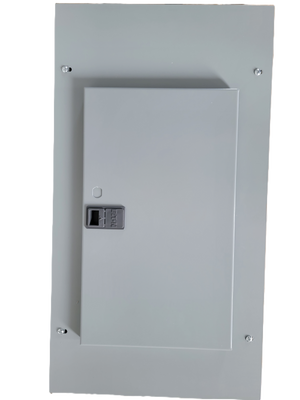
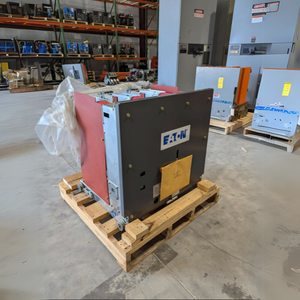
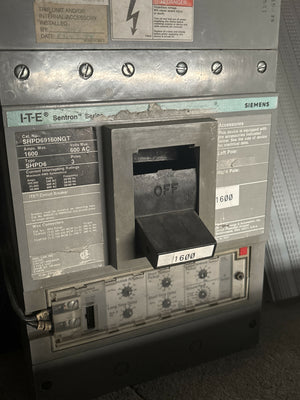
Building a 2N system means duplicating every critical component across two independent power paths. Electrical Trader offers an extensive range of essential equipment for these setups, including uninterruptible power supplies (UPS), backup generators, transformers, circuit breakers, and power distribution units (PDUs).
You’ll find standalone UPS units as well as integrated redundant systems. The platform also provides Automatic and Static Transfer Switches, which ensure quick and seamless power transitions. For instance, Static Transfer Switches (STS) can shift between independent power paths in as little as 4 milliseconds. Additional products include transformers, voltage equipment with 24V redundancy modules, dual PDUs, power whips, and switchgear - all critical for creating fully independent power paths.
With this variety of components, Electrical Trader simplifies the process of sourcing equipment for your 2N design, ensuring everything works together seamlessly.
Why Use Electrical Trader
When building a 2N redundancy system, reliable components are a must. Electrical Trader specializes in offering both new and used electrical equipment, giving you access to mission-critical products at competitive prices. Their marketplace consolidates a wide range of brands and products into one convenient platform, streamlining the sourcing process for complex redundant systems.
In addition to product availability, Electrical Trader provides expert support to ensure the components meet the stringent requirements of 2N systems. Whether you’re upgrading aging infrastructure or designing a new setup, their team can help verify compatibility with your design and operating conditions. For example, they offer components capable of operating in high-stress environments, such as those rated to handle 50°C (122°F) ambient temperatures under full load without derating.
Conclusion
2N redundancy stands as the gold standard for mission-critical backup power. By using fully independent power paths, it eliminates single points of failure and ensures 99.995% uptime reliability. While this setup requires more investment and space, it offers unparalleled reliability and the ability to perform uninterrupted maintenance.
When deciding on 2N systems, consider whether the potential costs of downtime outweigh the initial investment in duplicated infrastructure. For industries like data centers, hospitals, and financial institutions, the answer is often a resounding yes. For instance, the average U.S. data center faces downtime costs of about $138,000 per hour. This makes the upfront expense of 2N redundancy a smart choice for preventing costly disruptions.
"For better reliability, more vendor flexibility, and easier end-of-life replacement, 2N is almost always better than N+1." - Michael Fluegeman, FacilitiesNet
Achieving success with 2N redundancy depends on using dependable, independent components. From UPS units and generators to transfer switches and PDUs, every element must meet rigorous performance benchmarks. Electrical Trader offers a range of new and used equipment tailored to these high-demand systems, helping you design or upgrade your redundant power setup while keeping costs manageable.
FAQs
When is 2N redundancy worth the cost?
2N redundancy is a smart investment for environments where uptime and fault tolerance are non-negotiable, like data centers. By providing complete duplication of systems, it ensures operations continue seamlessly - even if multiple components fail. For businesses where downtime leads to significant losses, this level of reliability is indispensable.
How can I confirm my A and B power paths are fully independent?
To ensure independence, it's crucial that the A and B power paths are physically separated and free from any shared points of failure. This means they must rely on completely separate power sources, cables, circuit breakers, and panels. Each path should also have its own independent monitoring system and be capable of handling the entire load if the other path fails. These measures are essential for maintaining fault tolerance in a 2N redundancy system.
Can I add 2N redundancy to an existing facility without major downtime?
Yes, it's possible to add 2N redundancy to an existing facility without causing major downtime. This process requires installing fully duplicated critical components. By carefully planning and implementing the upgrades, disruption to ongoing operations can be kept to a minimum.