Ultimate Guide to BAS IoT Integration
Most U.S. commercial buildings still lack smart building features, and that leaves money, comfort, and maintenance time on the table. If I were planning a BAS IoT integration, I’d focus on five things first: system architecture, protocol fit, network separation, electrical capacity, and commissioning. Get those right, and I can use live data to trim energy use, cut HVAC downtime, and avoid bad control decisions.
Here’s the short version:
- BAS handles core control for HVAC, lighting, and other building systems.
- IoT adds more data from sensors like occupancy, CO₂, vibration, and submeters.
- Control should stay local when timing matters; cloud tools are better for trends, alerts, and analysis.
- Network separation matters: use VLANs, a DMZ, VPN access, and BACnet/SC instead of exposing BAS traffic to the internet.
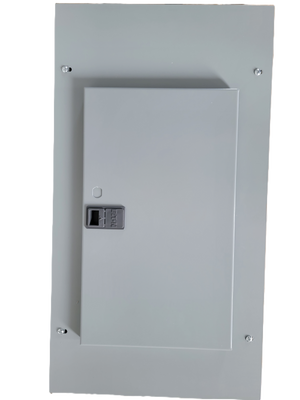
- Electrical checks come first: panels, breakers, transformers, meters, spare capacity, and control power all need review before install.
- Wireless can cut retrofit cost, but gateways still need power and a wired path back to the BAS in many jobs.
- Commissioning is where projects win or fail: verify point mapping, scaling, failover, stale data behavior, and security settings.
- Wait before turning on automation: a 30- to 60-day observation period helps catch bad data and unstable points.
- Well-tuned systems can lower annual energy costs by 20% to 30%, and predictive maintenance can flag equipment issues 2 to 6 weeks before failure.
A few numbers stand out:
- About 90% of U.S. commercial buildings still run without smart building features
- HVAC downtime can drop by up to 50%
- HVAC and lighting often make up 60% to 70% of building energy use
- New wiring can account for 20% to 80% of retrofit cost
- Cloud latency can exceed 200 ms, which is too slow for tight control loops
If you want BAS and IoT to work well together, the basic rule is simple: keep control clean, data clean, and power capacity checked before rollout. From there, the job becomes much easier to plan and run.
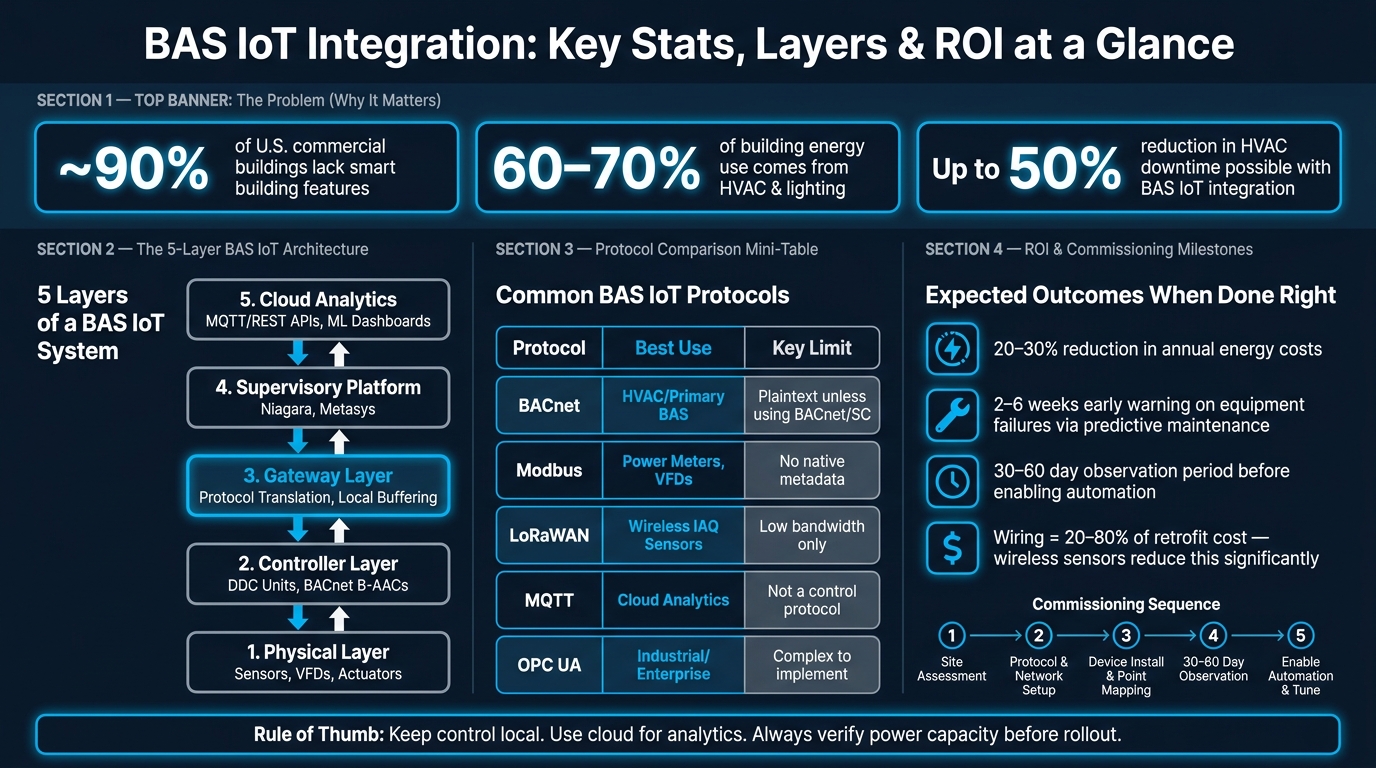
BAS IoT Integration: Key Stats, Layers & ROI at a Glance
BAS IoT Architecture and Communication Basics
System Layers: Devices, Controllers, Gateways, and Cloud
A BAS IoT system has five layers. Start by mapping the data path.
Layer 1 is the physical layer: temperature sensors, CO₂ monitors, occupancy sensors, submeters, variable frequency drives (VFDs), and actuators. These devices either collect raw data or carry out actions in the field, like adjusting a valve or changing fan speed.
Layer 2 is the controller layer. This is where Direct Digital Control (DDC) units and BACnet Advanced Application Controllers (B-AACs) process signals from field devices and run equipment sequences locally. Many current controllers support both BACnet and Modbus out of the box, which makes integration easier.
Layer 3 is the gateway layer. Gateways translate data between systems. For example, they can take data from LoRaWAN or other wireless sensors and convert it into BACnet/IP or another BAS protocol that the BAS can read. Many pro-grade gateways also buffer data locally if the upstream connection drops, which helps avoid gaps in trend logs.
Layer 4 is the BAS server or supervisory platform, such as Tridium Niagara or Johnson Controls Metasys. This layer pulls data from controllers and gateways so operators can monitor the site, manage alarms, and run schedules from one place.
Layer 5 is the cloud analytics layer. Here, data is sent through MQTT or REST APIs for long-term trend analysis, machine learning, and portfolio-wide dashboards.
Once these layers are mapped out, protocol choice shapes how data moves between them.
Protocols and Integration Models
Protocol fragmentation is one of the biggest BAS IoT headaches. In practice, different protocols tend to fill different roles. BACnet is common in commercial HVAC and controls. Modbus shows up often with power meters and chillers. LoRaWAN is used for battery-powered wireless sensors. MQTT is common for cloud publishing. OPC UA fits industrial and enterprise integration. KNX is used mostly for lighting and shading in Europe.
The table below shows where each one fits and where problems tend to pop up:
| Protocol | Common Use Case | Strengths | Limits | Interoperability Notes |
|---|---|---|---|---|
| BACnet | HVAC, lighting, primary BAS | Industry standard; object-oriented | Plaintext (IP/MSTP) is insecure | Native interoperability via BTL certification |
| Modbus | Power meters, VFDs, chillers | Simple; widely supported | No native units or metadata | Requires manual register mapping |
| LoRaWAN | Wireless IAQ, occupancy sensors | Long range; 5–10 year battery life | Low bandwidth; small payloads only | Integrated into BAS via BACnet gateways |
| MQTT | Cloud/IoT analytics | Lightweight; publish-subscribe model | Requires a broker; not a control protocol | Best suited for IT/cloud integration |
| OPC UA | Industrial/enterprise systems | Highly secure; rich semantic model | Complex to implement | Common in industrial OT environments |
One rule of thumb matters here: keep safety-critical control loops local at the edge. If a control sequence needs a response in under 50 ms, the cloud is too far away. Cloud round-trip latency can go past 200 ms. So use the cloud for analytics and trending, not live control decisions.
It also helps to assign each command, setpoint, and alarm to a single owner: either the BAS or the IoT platform. If both sides try to control the same point, things can get messy fast.
After you pick the protocols, the next job is to separate the network so traffic stays controlled and exposure stays low.
Network Segmentation and Basic Cybersecurity
When BAS and IoT systems share the same IT network, one bad device setup can ripple through the whole building. The usual fix is VLAN segmentation. Put building controls, IoT sensors, and IT systems on separate logical network segments. It also makes sense to place BACnet and Modbus on separate VLANs, so each protocol is boxed in and the attack surface stays smaller.
Anything that has to connect OT and IT, like supervisory servers, middleware such as Niagara, or cloud gateways, should sit in a DMZ. That setup lets IT systems reach building data without giving them direct access to the field network.
On the protocol side, the shift is moving from standard BACnet/IP, which sends data in plaintext, to BACnet Secure Connect (BACnet/SC). BACnet/SC uses TLS 1.3 encryption and certificate-based authentication. LoRaWAN sensors use AES-128 encryption by default. For remote access, use a VPN or BACnet/SC. Never expose BACnet or Modbus directly to the internet.
Basic hardening still matters. Change default credentials, turn off unused services like Telnet and FTP, and send logs to a SIEM.
| Security Control | Technology/Standard | Purpose |
|---|---|---|
| Encryption | TLS 1.3 (BACnet/SC) / AES-128 (LoRaWAN) | Protects data integrity and prevents eavesdropping |
| Authentication | X.509 Certificates | Verifies device identity before allowing network access |
| Segmentation | VLANs & DMZ | Isolates OT traffic from general IT and guest networks |
| Remote Access | VPN / BACnet/SC Hub | Provides a secure tunnel for off-site monitoring and control |
| Hardening | Port disabling (Telnet/FTP) | Reduces the attack surface by closing unused entry points |
With the communication model in place, the next step is checking existing panels, meters, and control capacity.
sbb-itb-501186b
Integration for Building Automation Webinar
Planning the Integration: Goals, Devices, and Electrical Readiness
With the communication model set, the next step is simpler in theory and messier in practice: figure out what the building can handle and what the project is supposed to deliver.
Assess Existing BAS, Panels, Meters, and Control Capacity
Before you buy a single sensor, walk the site and document the controls, meters, and panel capacity already in place. Record each controller’s firmware, protocol support, and open I/O points. Older controllers can be a pain here. Some need firmware updates, and some just don’t expose enough points, which means you may need extra sensors to fill the gaps.
Don’t stop at the controllers. Look at the electrical side too. Check for existing Modbus power meters, VFDs, and pulse counters for electricity and water. Then determine whether those devices can tie in through gateways or if new submeters make more sense. Panelboards matter too, so note spare breaker spaces and whether there’s room for new power supplies or submetering enclosures.
It also helps to settle point ownership early. Decide what gets write access for setpoints and what stays read-only for monitoring.
A good rule of thumb: keep real-time control inside the BAS. Let the IoT layer handle monitoring, analytics, and limited supervisory control.
Set KPIs and Choose the Right Sensors
Once you know what’s already there, define the outcomes you want to measure.
Sensor choice should follow KPIs, not the other way around. If the targets are fuzzy, teams often end up buying too many sensors and collecting data nobody uses. Start with HVAC and lighting. In commercial buildings, those two loads usually make up 60% to 70% of energy use.
Map each KPI to a sensor type and a clear install location:
| KPI | Target Example | Sensor Type | Placement |
|---|---|---|---|
| Energy intensity | Reduce kWh per sq. ft. | Wireless current sensors (1–600A) and pulse counters | Electrical panels, utility meters |
| Peak demand | Reduce peak kW | Submeters with interval data | Main feeders, HVAC equipment |
| Temperature stability | Maintain a stable zone temperature | Room temperature sensors | Zone level, not just AHU return |
| Air quality | Track CO₂ and humidity | Multi-parameter IAQ sensors (CO₂, TVOC, PM2.5) | Occupied zones, conference rooms |
| Equipment uptime | Reduce HVAC fault frequency | Vibration sensors, surface temperature sensors | Motors, pumps, pipe surfaces |
| Space utilization | Track occupancy and space utilization | PIR motion sensors, desk occupancy sensors | Rooms and occupied areas |
For timing, use 5- to 15-minute intervals for monitoring and 100- to 500-ms polling for control loops. That’s the right way to think about it: fit the data rate to the job, not the other way around.
Wired vs. Wireless Deployment and Power Requirements
After picking the sensors, the next call is how they’ll connect and how they’ll get power.
New wiring can make up 20% to 80% of retrofit costs. That spread mostly comes down to how much conduit and cabling the job needs. Wireless sensors avoid much of that work, which is why they’re so common in retrofits. The catch is battery upkeep, plus signal trouble in spaces crowded with RF traffic.
Here’s the tradeoff at a glance:
| Feature | Wired Integration | Wireless IoT Sensors |
|---|---|---|
| Reliability | High (no dropped signals) | Moderate to high - protocol dependent |
| Upfront cost | High ($2.50–$7.50/sq. ft.) | Low (~$0.75/sq. ft.) |
| Installation complexity | High - conduit, drilling, cabling | Low - peel-and-stick, minimal disruption |
| Power needs | 24V control power, 120V circuits, or PoE | Battery (5–10 yr life) or energy harvesting |
| Best-fit building type | New construction, hospitals, mission-critical | Retrofits, tenant spaces, multi-site portfolios |
Most retrofit projects land somewhere in the middle. The BAS keeps control of core equipment, while wireless sensors add finer-grain data for things like IAQ and occupancy. Even then, “wireless” rarely means no wires at all. In many cases, you still need at least one wired link from the gateway back to the BAS backbone.
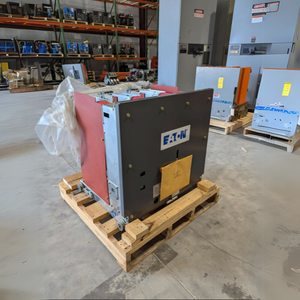
Power can make or break the plan. Check for 24V control power at sensor locations and 120V supply for gateways. If the job needs breakers, transformers, or other distribution gear, Electrical Trader can be a useful source for new and used electrical equipment.
Implementation and Commissioning Steps
Install Devices, Gateways, and Network Infrastructure
After planning and the electrical review, the work moves into physical installation and point checks.
Gateway placement has a direct effect on coverage and how many devices each gateway can handle. Put gateways where they can reach both field devices and the backhaul network without weak links. Use cellular backhaul only if the site can’t support a managed network connection.
Sensor placement matters just as much. A poorly placed sensor can give you bad data from day one. Mount temperature sensors away from doors, direct sunlight, radiators, and supply diffusers. Mount CO2 sensors at breathing height, about 3.5 to 5 feet above the floor. Ceiling-mounted CO2 sensors can underread conditions in the occupied zone.
Label every device with a unique ID that matches the point register. One ID scheme tied to point registers keeps things clean and helps you avoid commissioning rework later.
Map Points, Tag Data, and Update Control Logic
Once the hardware is online, the next job is making each signal readable inside the BAS.
Scale Modbus values the same way across the job before mapping them into the BAS as BACnet Analog Input objects or similar native points. If a reading looks wrong, start with scaling and byte order checks first.
For naming, a [System]-[Location]-[Parameter] format keeps point lists easy to scan across vendor platforms. For example, AHU-1.SAT stands for Supply Air Temperature. Tagging can stay simple on most jobs with Project Haystack key-value pairs like site, equip, point, and temp. If the project needs deeper relationship modeling, move to Brick Schema.
A smart way to handle IoT data during commissioning is to bring it in as advisory points first. Then, only move it into control after validation. That way, the BAS keeps full control authority and safety interlocks, while the IoT layer provides setpoint recommendations and more detailed telemetry.
Test, Commission, and Prepare for Ongoing Operations
After point mapping is done, test the data, failover behavior, and security controls before you switch on automation.
For connectivity, a successful BACnet Who-Is/I-Am discovery and zero packet loss over a 24-hour soak test are solid acceptance targets . Walk every point and compare the BAS display value with the field device or a calibrated reference instrument. Then shut off a gateway and check that the BAS flags stale data instead of acting on the last known value.
Security checks need the same level of attention before go-live:
- Change default passwords
- Confirm BACnet/SC certificate authentication
- Isolate VLANs
- Disable unused services
Run the system in observation mode for 30 to 60 days before enabling automation. That step can save a lot of pain. Many projects run into trouble because analytics were purchased before the sensor data had settled down.
After validation, connect the system to maintenance workflows. Tie alarm thresholds to the CMMS so work orders can be created and routed faster. Set up local caching too, so trend data stays available during cloud or network outages .
Optimization, Troubleshooting, and Conclusion
Optimization Strategies for Energy, Comfort, and Maintenance
Once your trends are clean and your points are stable, it’s time to shift from simple monitoring to step-by-step optimization. The order matters: observe, validate, then automate.
Don’t start too soon. BAS trend data should be stable and checked first. AI anomaly detection usually needs 60 to 90 days of baseline data, and if you turn it on early, you’ll often get false alerts.
After go-live, the main areas to focus on are occupancy-based HVAC, FDD, and predictive maintenance. FDD helps spot issues like stuck dampers, short-cycling compressors, and simultaneous heating and cooling. On rotating equipment, vibration and current sensors can warn you about bearing wear 2 to 6 weeks before failure, which gives maintenance teams time to plan instead of reacting at the last minute. When integrations are set up and tuned well, annual energy costs can drop by 20% to 30%.
| Measure | Required Data | Expected Impact Range | Ideal Facility Type |
|---|---|---|---|
| Occupancy-Based HVAC | PIR/mm-wave, CO₂ | 10–15% energy reduction | Offices, Schools |
| Continuous Commissioning | Supply/return temp, FDD | 10–20% energy reduction | All Facilities |
| Predictive Maintenance | Vibration, amperage | 15–25% maintenance savings | Industrial, Plants |
| Peak Demand Management | Real-time kW, setpoints | 5–10% utility bill reduction | Large Commercial |
| Leak Detection | Water flow, spot sensors | Risk mitigation | Hotels, Data Centers |
Troubleshooting Sensors, Data Mapping, and Electrical Issues
Most post-go-live problems come back to a few familiar trouble spots: point mapping, network setup, or power assumptions made during commissioning. If you see garbled 32-bit float values, the issue usually comes from a byte-swap mismatch. In plain English, the gateway is reading the data in the wrong order. Switch the big-endian/little-endian setting in the gateway and test again.
If the values look correct but show up late, the polling interval is probably too slow. In that case, either increase the poll rate or reduce the number of points handled by each gateway.
RS-485/Modbus networks have their own classic failure point. Signal loss often happens because termination resistors were skipped. Install 120-ohm resistors at both ends of the trunk to stop signal reflection. If a device won’t appear on the network, check for duplicate BACnet instance IDs and give each node its own ID.
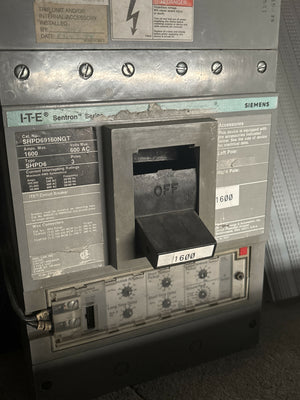
Nuisance trips are another common headache. They often trace back to an overloaded control transformer or a panel limit, so recalculate the VA load before you start swapping parts. If you do need a new transformer or breaker, or if panel capacity has to increase to support extra IoT hardware, Electrical Trader can be a source for new and used breakers, transformers, and power distribution components.
| Problem | Likely Cause | Fix |
|---|---|---|
| Garbled float values | Byte-swap mismatch | Toggle big/little-endian in gateway |
| Values delayed, not wrong | Polling too slow | Increase poll rate or reduce points per gateway |
| Device not appearing | Duplicate BACnet instance | Assign unique device instance ID |
| Write command ignored | Priority conflict | Verify BAS write priority level |
| Signal loss on RS-485 | Missing termination | Install 120-ohm resistors at trunk ends |
| Nuisance breaker trips | Overloaded transformer | Recalculate VA load; source replacement via Electrical Trader |
Conclusion: Key Decisions That Determine Project Success
Project results come from steady tuning, not a one-and-done go-live. A BAS IoT integration often succeeds or fails based on choices made well before the first sensor comes online.
Start with clear, measurable KPIs so you have a baseline that means something. Check protocol compatibility between the existing BAS and new IoT devices early, before teams are deep into install work. Build VLAN segmentation, BACnet/SC certificate authentication, and default password changes into the project scope from day one instead of treating them like cleanup work after commissioning. Power and distribution components also need to be sized for the full installed load, with room for future expansion.
Thorough commissioning is a big deal here. The 30–60 day observation period before automation is enabled is one of the highest-value steps in the whole project. After go-live, trend data should keep guiding sequence tuning.
FAQs
How do I know if my BAS is ready for IoT integration?
Check readiness in four areas:
- Protocols: Identify BACnet, Modbus, or any proprietary serial protocols already in use.
- Data points: Confirm that controllers can share the temperatures, setpoints, and equipment status you need.
- Network: Verify BAS access through VLANs, firewalls, or a cellular gateway.
- Write access: Define which points the platform is allowed to adjust.
When should control stay local instead of moving to the cloud?
Control should stay local when safety or performance depends on very low delay. That’s especially true for critical control loops that need to react within milliseconds.
Local processing also helps a lot in day-to-day operation. It keeps systems running during network outages, helps protect BAS security perimeters from direct internet exposure, and cuts bandwidth use by filtering or grouping data before it’s sent out.
What should I check before adding new sensors and gateways?
Audit your existing infrastructure across mechanical, electrical, plumbing, lighting, and HVAC. Then do an on-site walk-through to confirm the docs match what’s in the building, verify connectivity, and check protocol compatibility.
You’ll also want to document current communication protocols and the data points you need, review network readiness, and define security policies before deployment. That includes write access, point ownership, and who controls what from day one.